What is Multi-Factor Authentication (MFA)?
Do you want to know about what Multi-Factor Authentication is and how it works? If yes, then you are at the right place. Here, we will explore the process of MFA and related benefits for the users.
Moreover, we will introduce you to a technology that can help you evade phishing attacks in advance, offered by a reliable VAPT service provider. What are we waiting for? Let’s get started!
What is MFA (multi-factor authentication)?
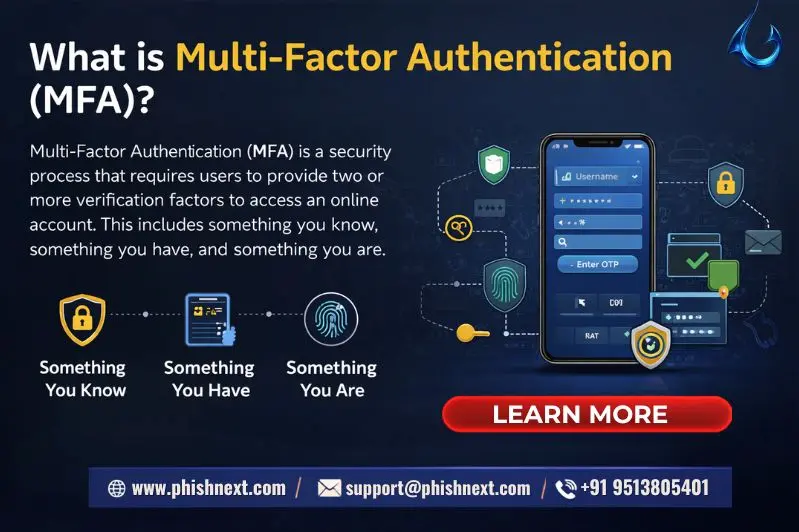
By requiring users to supply two or more verification factors in order to access an account, multi-factor authentication (MFA) dramatically lowers the possibility of unwanted access. These elements usually consist of something you possess (like a hardware token or smartphone app), something you know (like a password), or something you are (like fingerprints or biometrics).
MFA guarantees that even if one credential is compromised, attackers won't be able to access the system without the secondary verification because it requires multiple layers of proof. Let’s talk about what Multi-Factor Authentication is and how it works!
Why is multi-factor authentication necessary?
|
S.No. |
Factors |
Why? |
|
1. |
Neutralizes Credential Theft |
MFA serves as a "deadbolt" that stops an attacker from obtaining access without your secondary device or biometric in the event that they capture your password through phishing or a data leak. |
|
2. |
Mitigates the Risk of Weak Passwords |
MFA guarantees that a single compromised set of credentials doesn't have a "domino effect" across all of a user's accounts because the majority of users reuse simple passwords across several sites. |
|
3. |
Provides Real-Time Alerts |
When someone attempts to access your account, several MFA solutions (such as push notifications) instantly alert you, providing you with an early warning that your password has been hacked. |
|
4. |
Thwarts Automated "Credential Stuffing" |
Every second, hackers test millions of compromised password combinations using bots; MFA is a strong barrier that these automated scripts are unable to get past without human intervention. |
|
5. |
Meets Regulatory Compliance |
MFA is no longer optional for many industries; in order to protect sensitive user data, standards like PCI-DSS (for payments) and HIPAA (for healthcare) require its implementation. |
The Weakness of Single-Factor Passwords
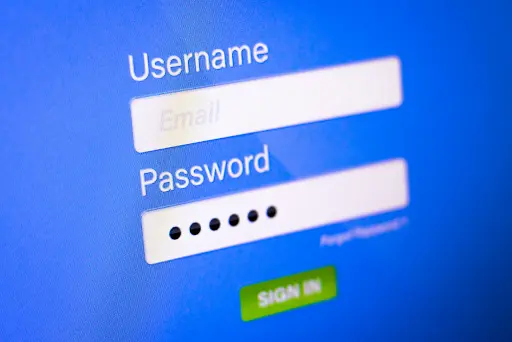
Because single-factor passwords rely on a single point of failure that is readily breached by phishing, brute-force assaults, or credential stuffing, they are intrinsically weak. Even the strongest backend security mechanisms are frequently circumvented if an attacker acquires this static piece of information, giving them unlimited access to the connected account.
How does multi-factor authentication work?
In the following ways, MFA works:
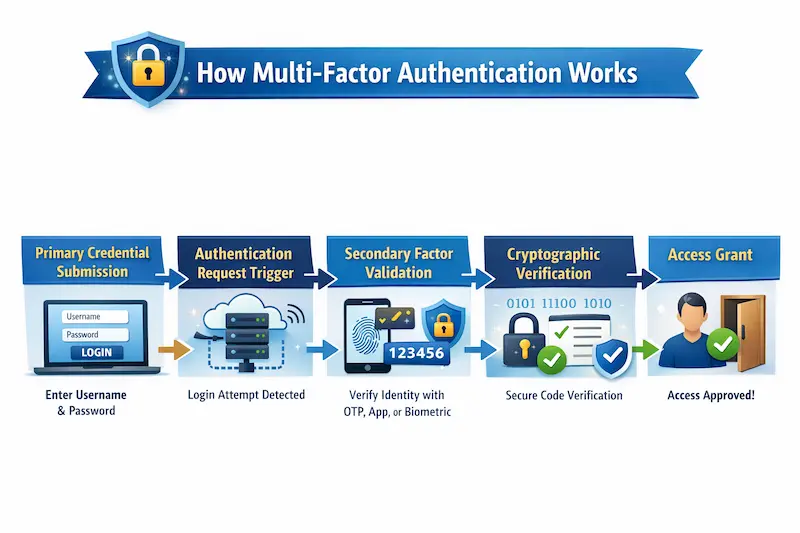
- Primary Credential Submission: Initially, you input your typical login credentials, including your username and password (the "something you know" factor).
- Authentication Request Trigger: The service's authentication server pauses access and requests a secondary verification factor after confirming that the password is correct.
- Secondary Factor Validation: You supply the second credential, which might be a fingerprint scan (the "something you are" factor), a hardware security key (the "something you have" factor), or a time-based one-time password (TOTP) via an authenticator app.
- Cryptographic Verification: To make sure it corresponds with the particular user profile, the authentication server verifies this secondary token or biometric information against the stored cryptographically secure hash or verification protocol.
- Access Grant: The server creates a session token, which creates an encrypted connection and gives you complete access to the desired application or network, only once the secondary factor has been verified as legitimate.
What are the multi-factor authentication methods?
|
S.No. |
Factors |
What? |
|
1. |
SMS or Email Verification |
Your device receives a one-time code, but it is still susceptible to "SIM swapping" or email interception. |
|
2. |
Authenticator Apps (TOTP) |
Time-sensitive, six-digit codes are generated locally on your phone by apps like Google Authenticator without the need for a cellular connection. |
|
3. |
Push-Based Notifications |
With a simple tap, a pop-up asks you to "Approve" or "Deny" a login attempt on your mobile device. |
|
4. |
Hardware Security Keys |
The strongest security is offered by physical USB or NFC devices, like YubiKeys, which require physical contact to confirm your presence. |
|
5. |
Biometric Authentication |
Uses built-in device sensors to verify your identification using distinctive physical traits like fingerprints or facial recognition. |
What are examples of multi-factor authentication?
The following are examples of MFA:
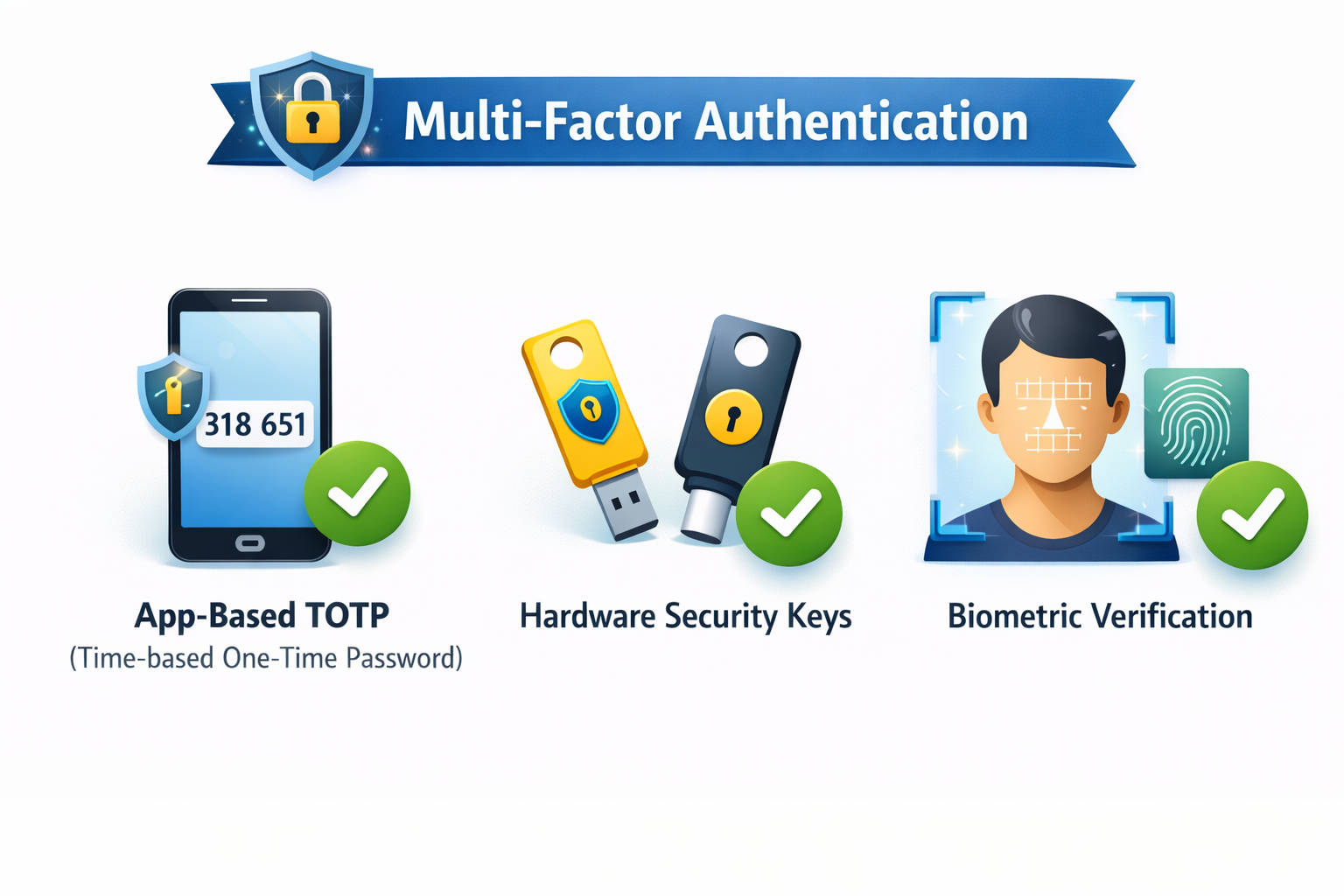
● App-Based TOTP (Time-based One-Time Password): Every 30 seconds, you use an app like Google Authenticator or Microsoft Authenticator to create a unique, temporary six-digit code. This code is generated offline on your device, making it far more secure than codes transmitted by SMS.
● Hardware Security Keys: A tangible item, like a YubiKey, can be tapped against your phone via NFC or plugged into your computer's USB port. This serves as a "possession" factor, demonstrating your actual presence and authorizing the login.
● Biometric Verification: Your device's built-in sensors use your fingerprint, iris, or facial features to verify a login attempt; this is known as the "inherence" factor and relies on distinctive biological characteristics that are hard for an attacker to imitate.
Core Pillars of Authentication
The following are the core pillars of Authentication:
a) Knowledge: This element depends on data that should only be known by the user, like a password, PIN, or the response to a particular security question.
b) Possession: A physical or digital object, like a smartphone, a hardware security key, or an ID badge, that a user is required to carry with them, is referred to as this factor.
c) Inherence: This component verifies identity using a person's distinct biological or physical traits, such as an iris pattern, fingerprint scan, or facial recognition.
What is adaptive multi-factor authentication?
An intelligent security layer called adaptive multi-factor authentication (AMFA) determines the level of authentication needed for a particular login attempt by analyzing contextual risk signals, including user location, device reputation, and time of day.
It dynamically initiates enhanced verification only when it notices unusual or high-risk activity, rather than requiring each user to supply a secondary factor for each access request.
How can artificial intelligence improve multi-factor authentication?
In the following ways, AI improves MFA:
- Enabling Adaptive Risk-Based Authentication: In order to dynamically modify authentication requirements based on current risk levels, AI continuously examines contextual information such as geolocation, device posture, and IP reputation.
- Leveraging Behavioral Biometrics: To passively confirm identity without interfering with the user experience, AI tracks distinctive patterns in user behavior, such as swipe motions, mouse movements, and typing cadence.
- Proactive Threat and Fraud Detection: Before they reach the verification stage, machine learning algorithms analyze large datasets to find and stop patterns suggestive of automated credential stuffing, bot-driven attacks, or dubious login attempts.
- Mitigating MFA Fatigue: AI can effectively limit "MFA spam" by prioritizing heightened authentication only when absolutely necessary and reducing pointless push requests for trusted, low-risk sessions.
- Enhancing Biometric Accuracy: By continuously training models to better differentiate between real users and complex spoofing efforts or deepfakes, artificial intelligence (AI) increases the accuracy of facial, voice, or fingerprint recognition.
Phishing-Resistant MFA
Phishing-resistant MFA establishes a cryptographic connection between the user's physical security key and the origin of the particular website using hardware-based protocols such as FIDO2/WebAuthn.
Because the cryptographic credentials cannot be intercepted or reused by an attacker, this guarantees that authentication will fail even if a user is duped into interacting with a phoney website.
User Experience: Security vs. Friction
|
S.No. |
Topics |
Factors |
What? |
|
1. |
High Security |
Asset Protection |
High-value data is safeguarded even from sophisticated, targeted assaults by putting strict protections in place, such as requiring hardware keys or requiring frequent re-authentication. |
|
Regulatory Compliance |
Strict procedures guarantee that the company complies with industry requirements (such as SOC2 or GDPR), preventing significant penalties and legal liabilities. High-security friction is frequently required by law. |
||
|
2. |
Low Friction |
User Adoption and Compliance |
Users are less inclined to look for "shadow IT" workarounds or circumvent rules when security is seamless (e.g., employing biometrics), which actually strengthens the overall security posture. |
|
Operational Productivity |
Reducing "authentication fatigue" helps employees avoid burnout and saves thousands of hours that would otherwise be spent on difficult login challenges and changing passwords. |
What are the best practices for setting up multi-factor authentication?
The following are the best practices for setting up MFA:
● Prioritize Phishing-Resistant Methods: To prevent credential interception, prefer hardware security keys (FIDO2/WebAuthn) or passkeys over SMS, email, or outdated push notifications.
● Enforce the Principle of Least Privilege: To ensure that the consequences of a compromised account are minimal, grant MFA access to only the particular applications and sensitive data necessary for an employee's function.
● Implement Adaptive Authentication Policies: Set up your system so that, in response to contextual cues such as irregular login times, unidentified devices, or questionable geographic locations, it will automatically request more robust authentication or completely prevent access.
● Establish a Secure Recovery Workflow: If a user misplaces their primary MFA device, establish a strict, identity-verified procedure for account recovery that steers clear of readily phished techniques (such as email reset links).
● Regularly Audit and Review MFA Logs: To identify unsuccessful login patterns or abnormalities that point to an ongoing brute-force or credential stuffing assault, maintain centralized monitoring of all authentication events.
What are the benefits of multi-factor authentication?
The following are the benefits of MFA:
a) Significantly Reduces Account Takeover: Even if an attacker manages to obtain a user's password, MFA prevents 99.9% of bulk hacking attempts by requiring multiple independent factors.
b) Protects Against Credential Stuffing: By preventing leaked credentials from one website from immediately compromising other accounts, MFA makes stolen password databases worthless.
c) Provides Layers of Defense-in-Depth: It establishes a multi-tiered security perimeter such that a complete system breach cannot result from the compromise of a single factor (such as a physical device or a password).
d) Enables Secure Remote Work: Employees can safely access company resources from untrusted home networks or public Wi-Fi thanks to MFA's crucial trust anchor.
e) Demonstrates Security Maturity and Compliance: Organizations may meet stringent regulatory standards like GDPR, HIPAA, and PCI-DSS, and fulfill cyber insurance obligations by implementing strong MFA.
Conclusion
Now that we have talked about Multi-Factor Authentication, you might want to learn more about such security methods or techniques that can secure you and your data against online threats. One of those things is PhishNext, a dedicated phishing simulation platform that can offer you real-life phishing experiences.
After that, you will be able to recognize any phishing activity that might attempt to steal your credentials & confidential information, and you will be able to evade it in time. What are you waiting for? Contact, Now!
|
Note: To get a stress-free working environment, you can go for a specially designed tool, “PhishNext,” which provides specialized simulations of phishing attacks so that users can get used to such attacks and never become victims of such attacks. |
Trending Blogs
- Phishing on Messaging Apps: How Attackers Use Teams, WhatsApp, SMS, and Slack?
- How to Identify a Phishing Website? | PhishNext
- Top 10 Best Phishing Simulation Tools In 2026
- Corporate Phishing Simulation Solutions in India
- What Is Phishing Simulation? Complete Guide for Businesses
- Time Pressure is the Biggest Email Red Flag: Why?
- How to Identify Fake Websites: A Beginner’s Guide to URL Safety
- Ransomware Infection Incident Disclosed by Washington Hotel in Japan
- Phishing, Vishing, and MFA Attacks Target Enterprise Identity Systems