Phishing on Messaging Apps: How Attackers Use Teams, WhatsApp, SMS, and Slack?
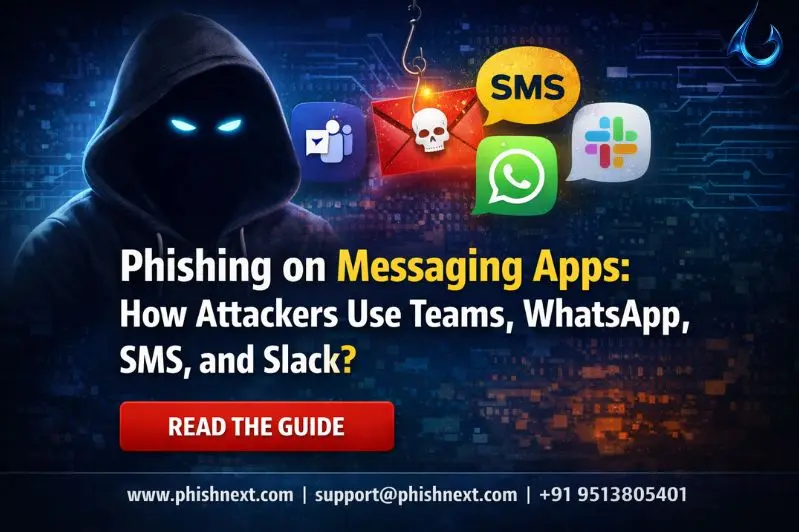
Do you know how cybercriminals do phishing on messaging apps to trap victims? If not, then you are at the right place. Here, we will explore how all these things happen and how you can protect yourself against such attacks.
Recently, there have been many reports circulating about such attacks that are making a huge number of victims globally. We need to learn the skills to stop such cases. What are we waiting for? Let’s get started!
What is phishing on messaging apps?
Phishing on messaging applications, often known as "smishing" (SMS) or "social messaging phishing," is the practice of attackers sending false messages via Teams, Slack, or WhatsApp in an attempt to deceive users into installing malware or disclosing private information.
By exploiting counterfeit profiles or hijacked accounts, these assaults frequently get over typical email security filters by taking advantage of the high degree of trust and urgency associated with instant messaging.
In 2026, these threats commonly exploit malicious QR codes and AI-generated personas to capture session tokens and breach corporate and personal identities. Let’s take a look at what phishing on messaging apps is and how it works!
What is the difference between messaging app phishing and email phishing?
|
S.No. |
Topics |
Factors |
What? |
|
1. |
Email Phishing |
Trust Barrier |
High; consumers are taught to be wary of emails from outside sources. |
|
Pace of Attack |
Asynchronous; analysis is possible before opening. |
||
|
Mobile UX |
Sender addresses and all headers are displayed. |
||
|
Security Gates |
Mature Secure Email Gateways (SEGs). |
||
|
2. |
Messaging App Phishing |
Trust Barrier |
Low; chat apps are perceived by users as "secure" private or internal areas. |
|
Pace of Attack |
Attackers can have live "dialogues" to establish confidence in real time. |
||
|
Mobile UX |
Sender metadata and URL details are hidden in mobile interfaces. |
||
|
Security Gates |
Many programs lack real-time URL/file scanning and are fragmented. |
Platform-Specific Attack Vectors
The following are some of the platform-specific attack vectors:
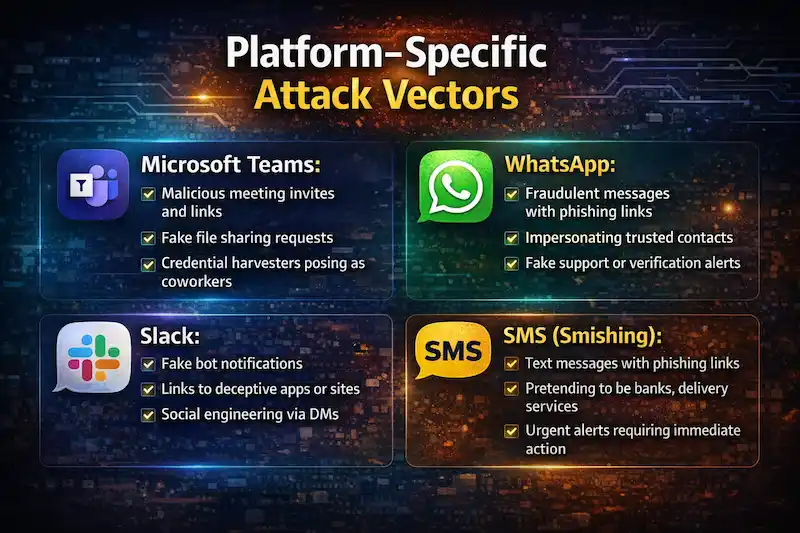
- Microsoft Teams: Attackers send malware-laden "meeting transcripts" or "Teams updates" to gullible workers using hacked "guest" accounts or impersonated external tenants.
- WhatsApp: To get around multi-factor authentication and obtain session tokens, bad actors use high levels of personal trust to implement Quishing (QR code phishing) or pose as family members.
- Slack: Misconfigured webhooks and rogue app integrations that broadcast phony "system alerts" in order to obtain credentials through counterfeit login pages are the main targets of exploitation.
- SMS (Smishing): Psychological triggers such as "unpaid tolls" or "package delivery failures" are used by aggressive campaigns to direct victims to data-harvesting websites that have an almost 98% open rate.
New Essential Concepts for 2026
The following are some of the new essential concepts for 2026:
● Trust Calibration: Because users are significantly less likely to dispute a request from a "colleague" on Slack or Teams than from an external email, attackers utilize psychological manipulation to take advantage of "familiarity bias" in messaging apps.
● MFA Fatigue & Session Hijacking: By using "proxy-phishing" to acquire active session tokens that completely avoid login screens or by inundating users with push alerts until they "approve" out of annoyance, modern attacks go beyond password theft.
● Agentic AI Lures: These are fast, self-governing social engineering attacks in which artificial intelligence (AI) agents use your LinkedIn activity and public data to imitate the precise tone, writing style, and professional catchphrases of a particular individual in real time.
How to Protect Yourself?
|
S.No. |
Factors |
How? |
|
1. |
Zero Trust for Chat |
Regardless of how "internal" the platform or sender profile seems, treat every link, file, or request in a messaging app with the same natural mistrust as an unknown email. |
|
2. |
Out-of-Band Verification |
Verify any strange or delicate requests made by a coworker by getting in touch with them via an entirely other method of communication, like a direct phone call or a different verified app. |
|
3. |
Use Phishing-Resistant MFA |
To stop hackers from intercepting or "fatiguing" your login, switch from susceptible SMS or push-based codes to hardware security keys or passkeys that use FIDO2 standards. |
Frequently Asked Questions
About Phishing on Messaging Apps
- Which messaging platforms are commonly used in phishing attacks?
The following messaging platforms are commonly used in phishing attacks:
a) WhatsApp,
b) Telegram,
c) "Microsoft Teams,
d) SMS (Smishing), and
e) Slack.
- Why are messaging apps attractive to threat actors?
Messaging apps are attractive to threat actors for the following reasons:
a) Exceptional Open and Response Rates,
b) Bypassing Mature Security Filters,
c) The "Work-Life Blur" & High Trust,
d) Mobile User Interface (UI) Limitations, and
e) Interactive Real-Time Social Engineering.
- What does a messaging app phishing attack usually look like?
An urgent, uninvited notification, such as a phony security alert, a missed delivery, or an internal HR request with a high-pressure call to action and a link intended to gather credentials or steal active session tokens, is usually how a messaging app phishing assault appears.
- Can phishing happen on internal collaboration tools like Teams or Slack?
Yes, internal phishing poses a serious risk in 2026 since hackers frequently utilize hacked employee accounts or malicious guest invitations to get over security measures and take advantage of the high degree of trust that employees have in "walled gardens."
- What are the warning signs of phishing on messaging apps?
The following are some of the warning signs of phishing on messaging apps:
a) Unusual "Urgency" or Emotional Pressure,
b) Requests for "Out-of-Platform" Authentication,
c) The "Unexpected Context" or Random Invitation,
d) Malicious "Quishing" (QR Codes), and
e) Subtle Persona Shifts (AI Mimicry).
- Is messaging app phishing the same as smishing?
While messaging app phishing is a more general term that encompasses attacks on internet-based platforms such as WhatsApp, Microsoft Teams, and Slack, smishing particularly refers to phishing over SMS (text messages).
- What should employees do if they receive a suspicious message?
Employees should do the following tasks if they receive a suspicious message:
a) Pause and Resist the Urge to React,
b) Verify Using a "Secondary Channel",
c) Use Native "Report" Features Immediately,
d) Do Not Delete the Message (Yet), and
e) Trigger an Immediate Password/Session Reset.
- How can organizations prevent phishing on messaging apps?
Organizations can prevent phishing on messaging apps in the following ways:
a) Deploy Multi-Channel AI Security Tools,
b) Enforce Phishing-Resistant MFA,
c) Implement "Mobile-First" Training & Simulations,
d) Strict "Out-of-Band" Verification Policies, and
e) Harden Collaborative Walled Gardens.
- Can security awareness training help stop messaging app phishing?
Yes, companies that do ongoing, mobile-focused simulations can lower their phishing vulnerability by up to 86% in less than a year, demonstrating the great efficacy of security awareness training for messaging apps.
- Why is phishing on messaging apps becoming more common?
Because messaging apps provide a "perfect storm" of high trust, quick reaction times, and large holes in traditional security screening that email-based defenses have spent decades filling, phishing on these platforms is on the rise.
|
Note: To get a stress-free working environment, you can go for a specially designed tool, “PhishNext,” which provides specialized simulations of phishing attacks so that users can get used to such attacks and never become victims of such attacks. |
You May Also Like
- Top 10 Best Phishing Simulation Tools In 2026
- Phishing Simulation: How It Works to Reduce Risk? | PhishNext
- What Is Phishing Simulation? Complete Guide for Businesses
- How to Identify a Phishing Website? | PhishNext
- What Is Open-Source Intelligence (OSINT)? | PhishNext
- Time Pressure is the Biggest Email Red Flag: Why?
- Phishing Attacks Are Imitating City & County Officials: FBI Alerted! | PhishNext
- Attackers Using LLMs to Create Phishing Pages in Real Time