What Is Browser Detection & Response (BDR) in Cybersecurity?

Let’s explore how Browser Detection & Response (BDR) works for the security preparation of organizational confidential data! A lot of organizations are dependent on BDR to secure their conversations and datasets against online threats.
Thus, exploring it will be beneficial for your own good. Moreover, we will offer you a solution that can help you not to get fooled by scamming emails or something like that. What are we waiting for? Let’s get started!
What Is Browser Detection & Response (BDR)?
A specialist cybersecurity solution called Browser Detection & Response (BDR) offers real-time visibility, detection, and mitigation of threats that especially target web browsers, which are a major entry point for contemporary assaults.
Before malicious activities like phishing, cookie stealing, and drive-by downloads can infect the endpoint or the company network, it actively monitors browser behavior, extensions, and network traffic.
BDR guarantees complete protection against complex, web-based vulnerabilities that conventional antivirus or network security solutions sometimes overlook by functioning directly within the browser environment.
Let’s take a look at what Browser Detection & Response (BDR) is and how it can protect your data against online threats!
Why Browser-Based Threats Are Increasing in 2026?
Browser-based threats are increasing in 2026 for the following reasons:
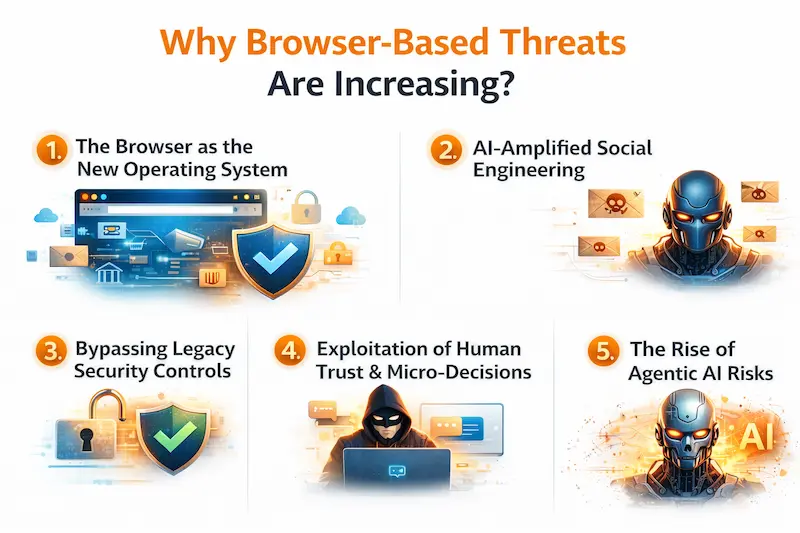
- The Browser as the New Operating System: The browser is the most valuable target for attackers in 2026 since it is now the main enterprise workspace where nearly all SaaS, collaboration, and AI tools are located.
- AI-Amplified Social Engineering: Threat actors are employing generative AI to produce deepfakes and hyper-personalized, flawless phishing lures that can effortlessly trick consumers while they browse.
- Bypassing Legacy Security Controls: Malware is broken up into pieces by contemporary techniques such as "reassembly attacks," which appear harmless to firewalls but, once inside the browser's memory, recombine into malicious code.
- Exploitation of Human Trust & Micro-Decisions: In order to propagate malicious updates through reliable supply chains, attackers either take advantage of "sleeper" extensions, which lie dormant for months before activating, or they take over legal extensions.
- The Rise of Agentic AI Risks: New vulnerabilities like "prompt injection" and "tool hijacking," where an attacker can fool a trusted agent into carrying out unauthorized operations, are brought about by the transition to autonomous AI agents that operate on behalf of users.
Securing the "Human Layer" Against GenAI Phishing
In the following ways, you can secure the Human Layer against GenAI Phishing:
● Continuous Behavioral Biometrics: In order to confirm user identity in real time and determine whether an unauthorized bot or hijacked session is running, these systems track keystroke patterns and mouse movements.
● Adaptive, AI-Driven Simulations: These days, security training employs generative AI to develop highly customized phishing tests that change according to an employee's function and previous clicking patterns.
● Browser-Injected Verification Prompts: When a user interacts with a high-risk website or tries to enter credentials on an unverified page, security layers immediately insert "just-in-time" warnings into the browser user interface.
● Contextual Data Loss Prevention (DLP): By analyzing the purpose and context of data transfers, contemporary DLP systems stop private information from being copied into dubious online forms or unapproved AI chatbots.
● Deepfake-Ready Identity Proofing: To combat advanced AI-generated speech and video impersonations, organizations are implementing multi-factor authentication that requires liveness detection and cryptographic hardware keys.
How Browser Detection & Response (BDR) Works?
|
S.No. |
Factors |
What? |
|
1. |
Real-time Session Monitoring |
In order to spot questionable trends as they arise, BDR continuously monitors browser-level data, such as API requests, DOM modifications, and JavaScript execution. |
|
2. |
Malicious Extension & Script Analysis |
It checks all installed browser extensions and running scripts for illegal attempts to scrape sensitive page data or hidden "sleeper" code. |
|
3. |
Contextual Threat Detection |
It finds irregularities in user behavior, such as anomalous data exfiltration or unauthorized AI chatbot inputs, by examining the data flow between the browser and SaaS applications. |
|
4. |
Just-in-Time Automated Mitigation |
The system neutralizes the attack before it reaches the underlying device or network by instantly isolating the compromised tab or process when a threat is detected. |
|
5. |
Forensic Auditing & Visibility |
In order to give security teams a transparent audit trail and help them comprehend the "how" and "why" of browser-based security incidents, BDR captures comprehensive session data. |
Key Features of BDR in Cybersecurity
The following are some of the key features of BDR in Cybersecurity:
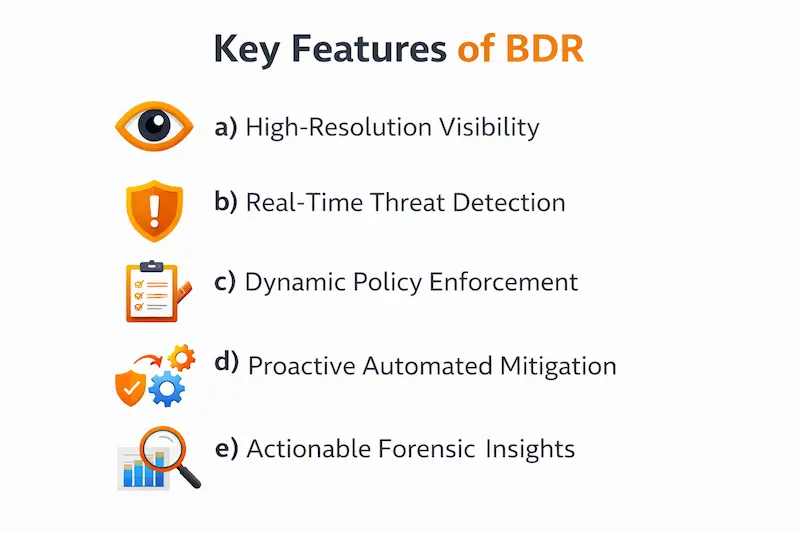
a) High-Resolution Visibility: BDR ensures that no dangerous script is overlooked by offering detailed, per-tab analysis of all browser-based operations, such as API calls, DOM modifications, and network queries.
b) Real-Time Threat Detection: The system detects anomalies such as malicious extension behavior, unauthorized data exfiltration, or credential theft by continuously monitoring session telemetry.
c) Dynamic Policy Enforcement: Adaptive rules that automatically limit particular browser features based on the user's role, risk level, or the sensitivity of the website being browsed can be put in place by security teams.
d) Proactive Automated Mitigation: BDR can quickly isolate or stop the compromised browser process when it detects a threat, preventing the attack from moving on to the host device or business network.
e) Actionable Forensic Insights: The platform provides security teams with a clear, sequential audit path to efficiently examine the cause and consequences of security incidents by capturing comprehensive session logs and behavioral data.
Common Browser-Based Attacks Prevented by BDR
The following are some of the common browser-based attacks prevented by BDR:
- Malicious & "Sleeper" Extensions: After a quiet upgrade, BDR finds add-ons that are inactive for months before activating to steal sensitive data or take over active sessions.
- Adversary-in-the-Middle (AiTM) Phishing: By examining the underlying network flow and DOM differences that evade conventional email filters, it finds proxy-based phishing kits that intercept real-time MFA tokens.
- "ClickFix" and UI Redressing: The technology prevents sophisticated social engineering that deceives users into interacting with invisible overlays (clickjacking) or executing harmful clipboard commands.
- In-Session Data Exfiltration: BDR stops illegal SaaS programs and shadow AI chatbots from copying or pasting private information, such as PII or corporate secrets.
- Fileless & Memory-Only Malware: By keeping an eye out for unauthorized API calls and process injections, it prevents script-based assaults that run directly in the browser's memory, avoiding disk-based antivirus scanning.
BDR vs EDR vs XDR: What’s the Difference?
|
S.No. |
Topics |
Factors |
What? |
|
1. |
BDR |
Core Focus |
Protects the web browser environment in particular by keeping an eye on extensions, DOM modifications, and in-browser session telemetry. |
|
Key Use Case |
Stops online dangers that frequently evade more comprehensive security measures, such as harmful extensions, AiTM phishing, and unauthorized data exfiltration. |
||
|
2. |
EDR |
Core Focus |
Keeps track of all operating system activities, including file system alterations, registry changes, and processes. |
|
Key Use Case |
Gives security teams thorough insight into device-level threats, enabling them to look into and fix malware or questionable activity on laptops, servers, and desktop computers. |
||
|
3. |
XDR |
Core Focus |
Integrates and correlates telemetry from several security levels, such as networks, endpoints (EDR), cloud, email, and identity. |
|
Key Use Case |
Enables automated, cross-domain threat hunting and a quicker, comprehensive incident response throughout the company by offering a unified picture of the complete security ecosystem. |
Integration with Remote Browser Isolation (RBI) & SWG
By offering deep, session-level visibility that these conventional perimeter solutions do not, BDR enhances Remote Browser Isolation (RBI) and Secure Web Gateways (SWG). While SWG filters traffic and RBI establishes a sterile environment, BDR keeps an eye on browser behavior to identify sophisticated "sleeper" extensions and in-session data theft that frequently gets across isolation and gateway layers.
Benefits of Implementing BDR Solutions
The following are the benefits of implementing BDR solutions:
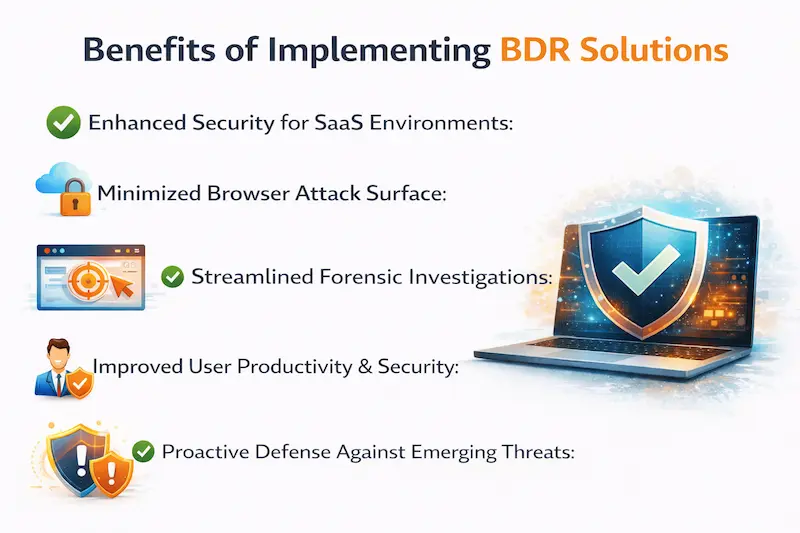
● Enhanced Security for SaaS Environments: By safeguarding sensitive data within browser-based SaaS applications, which are now the main targets for attackers, BDR protects the modern workplace.
● Minimized Browser Attack Surface: BDR significantly lowers the possibility of harmful "sleeper" code compromising company assets by continually monitoring and limiting browser extensions and script executions.
● Streamlined Forensic Investigations: Security teams can swiftly identify the source of web-based attacks thanks to the solution's comprehensive, browser-specific audit logs, which drastically cut down on response times.
● Improved User Productivity & Security: Employees may operate safely across a variety of web tools thanks to BDR's ability to implement specific security standards without using restrictive web-blocking.
● Proactive Defense Against Emerging Threats: BDR successfully identifies and stops sophisticated AI-driven phishing and fileless exploits that conventional endpoint and network security solutions frequently miss, since it functions at the session level.
Use Cases of BDR in Enterprise Security
|
S.No. |
Cases |
What? |
|
1. |
Protecting SaaS & Cloud Applications |
By keeping an eye on interactions with sensitive web-based tools like CRMs, HR platforms, and financial systems, BDR stops unauthorized data exfiltration and credential theft. This ensures that data does not leave the corporate environment through dangerous browser extensions or shadow AI inputs. |
|
2. |
Securing Remote & Hybrid Workforces |
BDR enables businesses to safely implement "Bring Your Own Device" (BYOD) policies by offering a managed, secure browser container. This keeps corporate sessions separate from personal browsing habits and potential endpoint infection. |
|
3. |
Neutralizing Advanced Phishing & Social Engineering |
The system automatically detects and stops "Adversary-in-the-Middle" (AiTM) attacks that steal MFA tokens and keeps users from falling for malicious "click-fix" baits or sophisticated browser-based UI redressing that seem genuine to the end-user. |
Future of Browser Security and BDR Technology
BDR technology is evolving from a stand-alone tool to an integral part of unified Zero Trust architectures as browser security moves toward "browser-native" intelligence. These solutions will increasingly use autonomous AI to prevent sophisticated, in-session threats like malicious agentic AI and deepfake-driven social engineering before they can evade conventional network or endpoint defenses, as browsers become the primary operating systems for work.
Frequently Asked Questions
About Browser Detection & Response (BDR)
- What is browser detection?
The process of determining a user's web browser, version, and device setup in order to enhance the delivery of web content, resolve compatibility problems, or, in a security context, spot malicious browser-based activity is known as browser detection.
- What is the SquareX browser detection and response BDR solution?
Without the need for a specialized enterprise browser, SquareX's Browser Detection and Response (BDR) security solution integrates via a browser extension to turn any standard web browser into an enterprise-grade, secure workspace capable of proactively detecting, mitigating, and threat-hunting browser-native attacks like malicious extensions, AiTM phishing, and GenAI data leakage.
- What is detection and response in cybersecurity?
The proactive cybersecurity method known as "detection and response" involves constantly observing network and endpoint activity to spot security threats. Then, quick, automatic, or manual measures are taken to contain and eliminate those risks before they have a chance to cause harm.
- What are the top 5 most used browsers?
The following are the top 5 most used browsers:
a) Google Chrome,
b) Apple Safari,
c) Microsoft Edge,
d) Mozilla Firefox, and
e) Samsung Internet.
- What are the 7 stages of IR?
The following are the 7 stages of IR:
a) Preparation,
b) Identification (or Detection),
c) Containment,
d) Eradication,
e) Recovery,
f) Lessons Learned (or Post-Incident Activity), and
g) Ongoing Improvement.
- What is L1, L2, L3 SOC analyst?
An L3 analyst carries out advanced threat hunting, forensic analysis, and long-term security plan refinement; an L2 analyst conducts in-depth investigations and incident response for escalated threats; and an L1 analyst handles initial monitoring and alert triage.
- What are the 5 ransomware protection best practices?
The following are the 5 ransomware protection best practices:
a) Maintain Immutable Backups,
b) Implement Robust Patch Management,
c) Adopt Zero Trust & Least Privilege,
d) Deploy Endpoint & Browser Protection, and
e) Conduct Security Awareness Training.
- Can a LockDown Browser detect a second screen?
Yes, Respondus LockDown Browser is built to recognize multiple monitors and either turn off secondary displays or stop the exam from starting until they are disconnected.
Conclusion
Now that we have talked about what Browser Detection & Response (BDR) is, you might want to learn more about how you can secure yourself against future attacks. For that, you can rely on Craw Security, offering PhishNext, a real-time phishing simulator offering many simulations to be prepared against.
After sometimes, you will be able to defend against any kind of phishing attacks run by professional cybercriminals. What are you waiting for? Contact, Now!
Related Security Articles
- Phishing, Vishing, and MFA Attacks Target Enterprise Identity Systems
- Most Cmmon Passwords used in the Whole Year: Report
- Human Risk Management and Security Awareness Training
- What Is Open-Source Intelligence (OSINT)? | PhishNext
- What Is AI Security Posture Management (AI-SPM)?
- Winner of the AI Arms Race: Threat Actors vs Cybersecurity Defenders
- Phishing Simulation: How It Works to Reduce Risk? | PhishNext
- 50% Rise in Ransomware Attacks Even as Payments Drop
- Top Tools That Hackers Use to Weaponize Emails | PhishNext
- Top Six Key Benefits & Core Features of Endpoint Security | PhishNext