What Is Phishing in Cyber Security? PhishNext
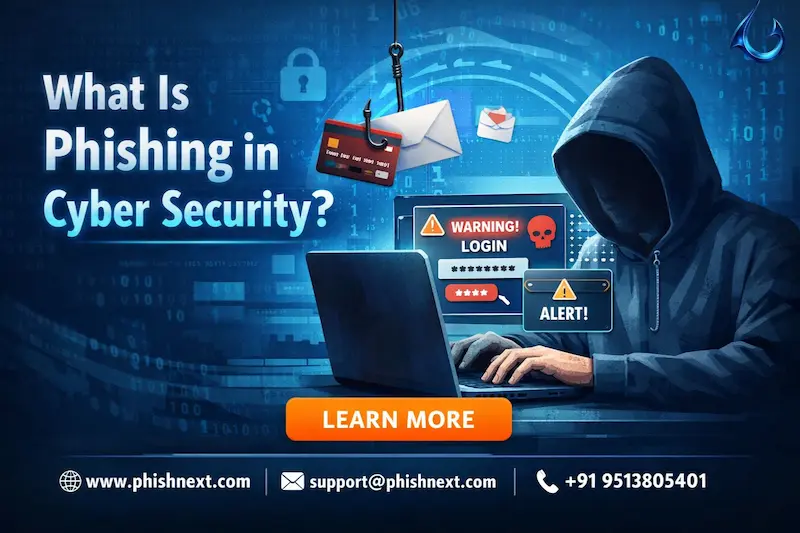
Do you want to know how Phishing works and victimize the victims? If yes, then you are at the right place. Here, we will talk about phishing in depth while offering the best ways to evade it in time.
Moreover, we will introduce you to a reliable phishing simulation platform that can train you in phishing so that you can protect yourself against such attempts in the future. What are we waiting for? Let’s get started!
What is Phishing?
Phishing is a dishonest cyberattack in which malevolent actors pose as trustworthy organizations via phone, text, or email in order to trick people into disclosing private information, such as passwords or bank account information.
In order to deceive victims into clicking on harmful links or downloading malware, these attackers frequently utilize urgent or menacing rhetoric, creating a false sense of necessity. They obtain unauthorized access to personal or business accounts by breaching these credentials, which could result in data breaches and financial damage.
Let’s take a look at what Phishing is, its uses, and how you can protect yourself against such attacks!
How does phishing work?
In the following ways, phishing works:
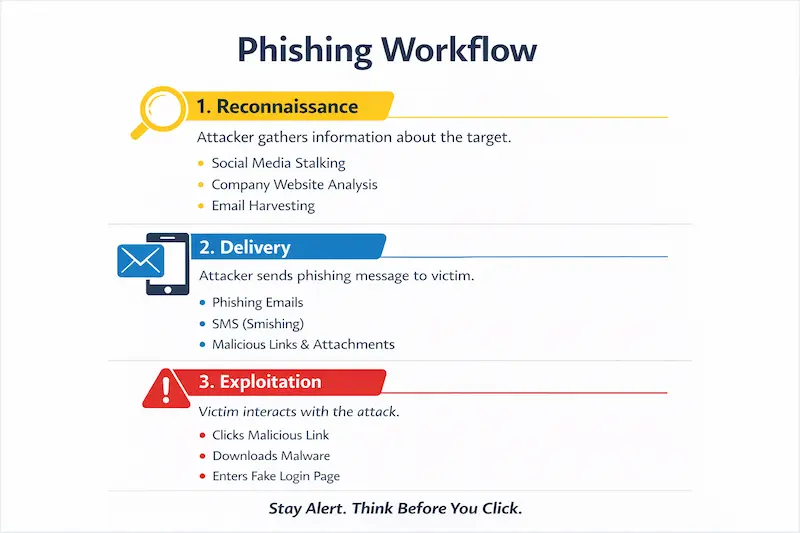
- Reconnaissance: To create convincing, customized lures, attackers investigate targets to obtain email addresses, social media profiles, and personal information.
- Delivery: The victim receives the fraudulent communication via social media, SMS, or email, frequently posing as a reliable source.
- Exploitation: The attacker can steal data or install malware by tricking the victim into clicking a link, opening an attachment, or inputting credentials.
Common Phishing Techniques
|
S.No. |
Techniques |
What? |
|
1. |
Email Phishing (Standard) |
Mass-distributed emails that deceive people into visiting phony websites or downloading dangerous files by using false sender addresses and urgent calls to action. |
|
2. |
Smishing (SMS/ Text) |
Malicious text messages, which frequently pose as banks or delivery businesses, are delivered to mobile devices with shortened URLs or urgent calls to a number. |
|
3. |
Vishing (Voice/ Phone) |
Fraudulent phone calls or automated "robocalls" in which perpetrators utilize voice manipulation and social engineering to obtain private information directly from the target. |
|
4. |
Quishing |
The use of harmful QR codes in real-world or virtual environments that, when scanned, send visitors to websites that collect credentials or start downloading malware silently. |
Types of Phishing Attacks
The following are the types of Phishing Attacks:
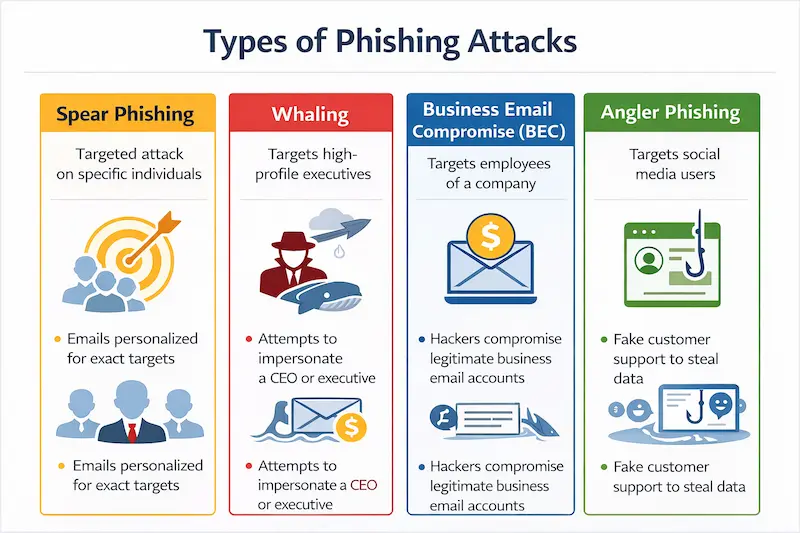
● Spear Phishing: A highly focused attack in which messages are tailored with precise personal or professional information to deceive a specific person or small group.
● Whaling: High-level executives, including CEOs or CFOs, are the target of a specific type of spear phishing intended to steal confidential company information or approve sizable wire transactions.
● Business Email Compromise (BEC): A complex scam in which perpetrators pose as trusted vendors or corporate representatives to trick staff members into revealing private information or making false payments.
● Angler Phishing: A social media-based attack in which thieves fabricate customer support profiles to "hook" irate consumers and entice them to provide personal information or account access.
Phishing threats: Alarming stats and trends across industries
With AI-driven, hyper-personalized ads increasing click-through rates by up to 54%, phishing is now predicted to account for almost 42% of all worldwide cyber breaches in 2026. The main cause of this increase is AI-powered automation, which cuts the time it takes to create a campaign from sixteen hours to five minutes.
Meanwhile, industries with the highest rates of sophisticated multi-channel fraud and credential theft are manufacturing, healthcare, and finance.
The AI Revolution: Detection vs. Deception
|
S.No. |
Topics |
Factors |
What? |
|
1. |
AI in Detection |
Behavioral Baseline Analysis |
Every employee's "normal" communication patterns are monitored by defensive AI, which identifies emails that depart from a sender's typical tone, timing, or request types, even if the email appears authentic. |
|
Natural Language Understanding (NLU) |
Modern security technologies use NLU to detect "intent," such as subtle psychological pressure techniques or social engineering signs that point to a scam, rather than searching for typos. |
||
|
Automated Threat Hunting |
In order to stop "Zero-Hour" attacks before they reach the inbox, AI agents actively "hunt" for new threats by exploding dubious links in remote sandboxes and examining metadata from millions of worldwide signals. |
||
|
2. |
AI in Deception |
Hyper-Personalization at Scale |
By using LLMs to scrape social media and business data, attackers can quickly produce thousands of distinct, flawless emails that are customized to the victim's particular job function and writing style. |
|
Deepfake Impersonation |
With just a few seconds of audio, AI can mimic the voice or video of a reliable executive, enabling "Vishing" or video calls that falsely approve wire transfers. |
||
|
Polymorphic Phishing |
AI continuously modifies the text and code of phishing emails in real-time, guaranteeing that no two emails are the same and preventing conventional signature-based filters from identifying them. |
How to identify and protect yourself from a phishing attack?
In the following ways, you can identify and protect yourself from a phishing attack:
a) Scrutinize Sender Metadata: Look past the "Display Name" and confirm the real email address, looking for minor typos or mismatched domains that might point to an effort at impersonation.
b) Adopt Phishing-Resistant MFA: Hardware security keys (FIDO2) or biometric passkeys that cryptographically link the login to a reliable device should be used in favor of susceptible SMS or push-based codes.
c) Pause Before Clicking: Any unanticipated request for private information or urgent financial action should be viewed as a possible threat and manually verified through a reliable secondary communication channel.
d) Use AI-Powered Security Layers: Install cutting-edge browser and email security solutions that use behavioral tracking and real-time link analysis to identify dangers that conventional filters overlook.
e) Cultivate a Reporting Culture: By using "Report Phish" buttons to train organizational AI models instead of just removing questionable communications, you can essentially become a human sensor that helps safeguard your entire network.
Frequently Asked Questions
About Phishing
- What are the types of phishing attacks?
The following are the types of phishing attacks:
a) Spear Phishing,
b) Whaling,
c) Business Email Compromise (BEC), and
d) Angler Phishing.
- How does phishing differ from pretexting?
While pretexting entails fabricating a scenario or "pretext" to establish trust and fool a target into divulging information, usually through direct human interaction like a phone call or in-person encounter, phishing usually uses digital communication to trick victims into clicking malicious links or disclosing credentials.
- What is internet phishing?
Internet phishing is a type of cybercrime in which perpetrators trick victims into divulging private information, such as passwords or financial information, by using phony digital communications, such as emails, websites, or social media posts.
- Can phishing be considered a cybercrime?
Because phishing encompasses unlawful acts, including fraud, identity theft, and unauthorized access to computer systems, which are prosecuted under numerous international and local cybersecurity laws, it is indeed a severe cybercrime.
- What are the seven red flags of phishing?
The following are the 7 red flags of phishing:
a) Sense of Artificial Urgency,
b) Mismatched or Suspicious Sender Address,
c) Generic Greetings and Sign-offs,
d) Requests for Sensitive Information,
e) Suspicious Links and Hidden URLs,
f) Unusual Attachments, and
g) Poor Grammar & Unprofessional Formatting.
- What is a phishing email, and how can I recognize it?
You can identify a phishing email by closely examining the sender's real email address for inconsistencies, searching for urgent or high-pressure language, and hovering over links to make sure they lead to trustworthy, expected domains.
Phishing emails are fraudulent communications created to mimic a trusted source in order to steal your sensitive data.
Conclusion
Now that we have talked about Phishing, you might want to know how you can protect yourself against such attempts in the future. For that, you can rely on PhishNext, a dedicated phishing simulation platform offered by Craw Security, letting users experience how phishing attacks work, and then they will be able to protect themselves by evading them in time. What are you waiting for? Contact, Now!
Recommended Reads
- Phishing, Vishing, and MFA Attacks Target Enterprise Identity Systems
- Most Cmmon Passwords used in the Whole Year: Report
- Human Risk Management and Security Awareness Training
- What Is Open-Source Intelligence (OSINT)? | PhishNext
- What Is AI Security Posture Management (AI-SPM)?
- Winner of the AI Arms Race: Threat Actors vs Cybersecurity Defenders
- Phishing Simulation: How It Works to Reduce Risk? | PhishNext
- 50% Rise in Ransomware Attacks Even as Payments Drop
- Top Six Key Benefits & Core Features of Endpoint Security | PhishNext