Phony Video Meets Tricking Users into Installing RMM Tools
Researchers
|
Threat actors are tricking customers into installing remote monitoring and management (RMM) software by sending them phony meeting invites for Zoom, Microsoft Teams, Google Meet, and other video conferencing apps. |
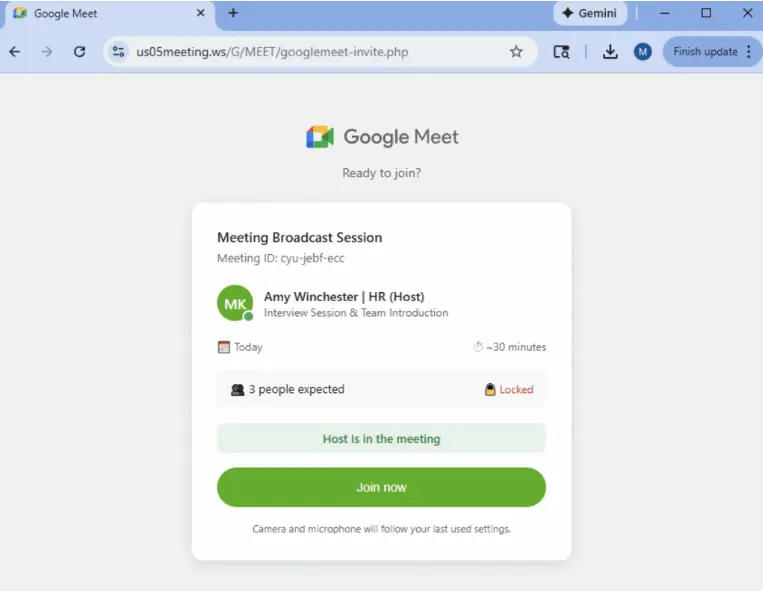
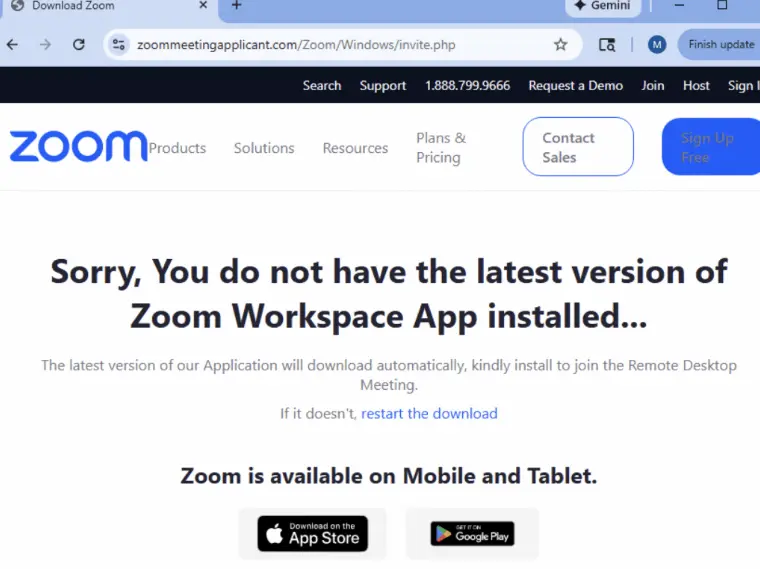
Coworkers who have allegedly already joined the call are included on the convincingly spoofed landing pages for fictitious video sessions that are linked from the invites. In order to participate in the video meeting, the page asks the user to apply a software update.

Researchers
“A digitally signed remote monitoring and management (RMM) application, like Datto RMM, LogMeIn, or ScreenConnect, is the payload, which is cloaked as a software update.”
“With the use of these tools, attackers can take complete administrative control of victims' endpoints and remotely access their computers, which may result in data theft or the installation of more harmful malware.”
“Victims are notified that their application is outdated or incompatible when they try to join the call.”
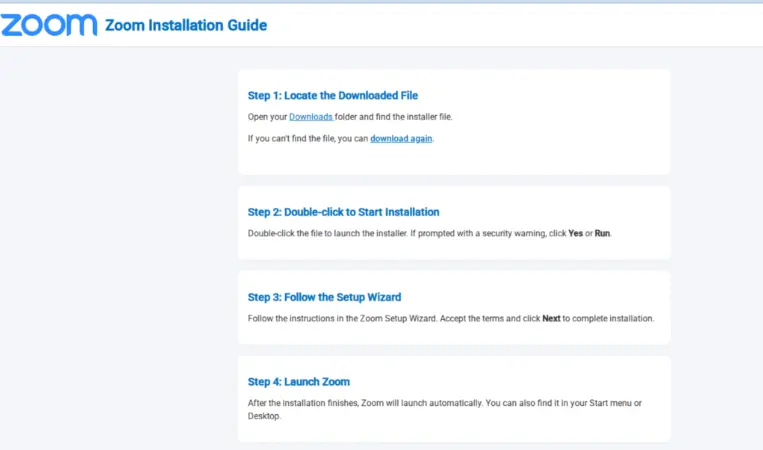
“Before being permitted to join, victims must download and run a certain "update." Attackers raise the possibility that users will manually circumvent security warnings to avoid missing the session by presenting the malicious payload as an essential technical correction for a legitimate business task.”
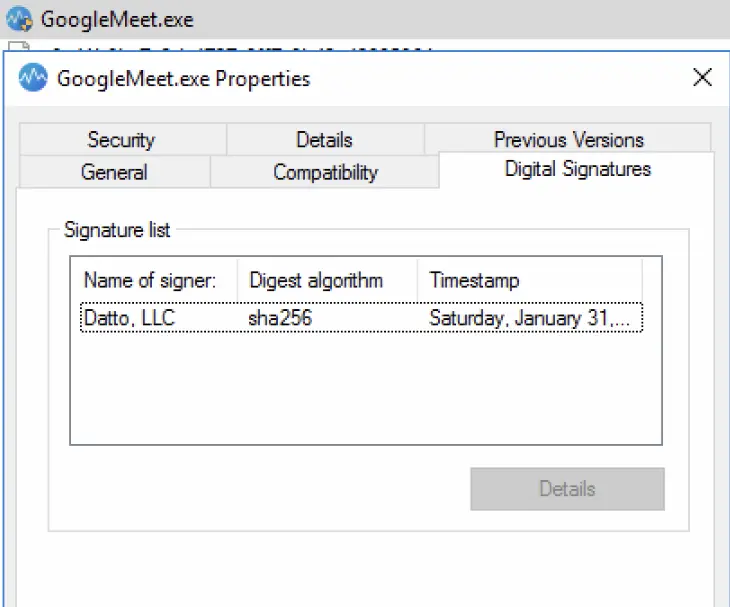
“Instead of using proprietary malware, the attackers can blend in with regular business communications by using authentic, digitally signed RMM tools.”
“In organizational settings, these tools can be pre-approved, which enables attackers to get past signature-based security measures and establish a long-term administrative foothold without setting off alarms right away.”
Users are more inclined to disregard warning signs and hasten the installation of the fraudulent update because it looks as though the meeting has already begun.
Because these RMM tools are digitally certified and have valid purposes, security tools are more likely to miss them.
|
Note: To get a stress-free working environment, you can go for a specially designed tool, “PhishNext,” which provides specialized simulations of phishing attacks so that users can get used to such attacks and never become victims of such attacks. |
Popular Reads in This Category
- Huge Ransomware Attacks Rise in October 2025 Globally
- What Is Browser Detection & Response (BDR) in Cybersecurity?
- Guaranteed Publication in Chrome Web Store with New Malware Kit
- AI-Enabled Social Engineering Attacks are on the Rise
- Exposing How Sophisticated a Phishing Campaign is Bypassing M365 MFA
- How to Detect a Scam or Phishing Email in Just 10 Seconds?
- Why Do You Need PhishNext? [2026 Updated]
- Hidden Risks of Non-Compliance: What the Fines Hide?
- Nation-State Cyber Criminals Using AI to Streamline Targeting
- Strong vs Weak Passwords: A Complete Path [2026]