How Phishing Attacks Work on Mobile Devices? - PhishNext
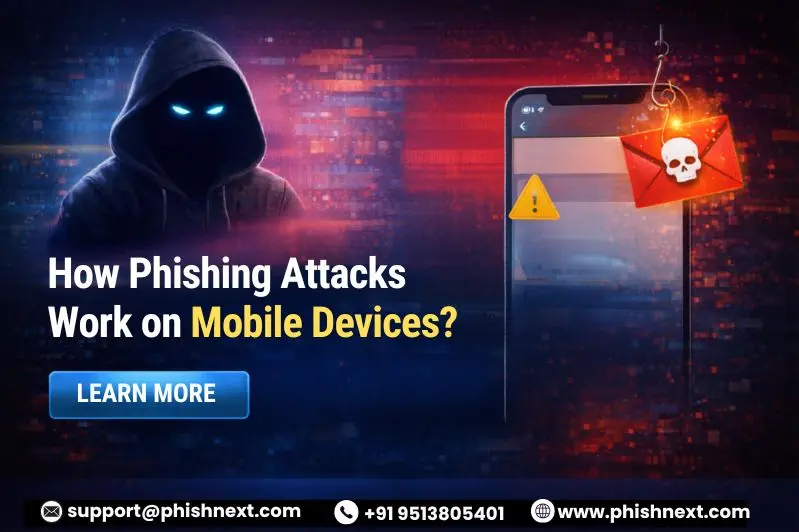
Do you know how Phishing Attacks Work on Mobile Devices and how you can evade them? If not, then you are at the right place. Here, we will talk about how these attacks are initiated and take control of the whole situation while victimizing individuals.
Moreover, several organizations are training their employees to secure their data from unwanted cybercriminals and phishing attacks. What are we waiting for? Let’s get straight to the topic!
What is Mobile Phishing in 2026?
Mobile phishing (also known as "mishing") is a highly advanced hack in 2026 that employs malicious QR codes, voice clones, and AI-generated SMS to get past conventional security measures and steal private information.
These attacks, in contrast to earlier frauds, frequently employ multi-channel social engineering, in which a phony email is followed by a "smishing" text or "vishing" call to generate a convincing sense of urgency on smaller displays where URLs are more difficult to validate.
Attackers primarily target mobile devices to harvest session tokens and get around multi-factor authentication (MFA) in real-time because these devices are now the main gateway for work and banking.
Understanding the Evolution of Phishing Attacks
Phishing has evolved from generic, badly written "spray-and-pray" emails to highly customized, AI-driven campaigns that mimic real brand voices and get past antiquated security measures.
In order to get beyond multi-factor authentication, modern attacks use advanced strategies like Quishing (QR code phishing) and real-time session hijacking, transforming psychological manipulation into a high-tech precision tool.
The Death of the URL
The traditional URL has become less common as deep linking and QR codes become the norm for mobile navigation, making it more difficult for users to manually confirm a website's legitimacy.

This "invisibility" effectively puts an end to the days when "hovering over a link" was a dependable defense by enabling attackers to conceal dangerous destinations behind shortened links and app-based redirects.
Why Mobile Devices Are Prime Targets for Phishing?
|
S.No. |
Factors |
Why? |
|
1. |
Small Screen Limitations |
Long URLs are frequently truncated, and browser address bars are hidden by mobile interfaces, making it practically impossible for consumers to quickly identify "look-alike" or subtle domain spoofing websites. |
|
2. |
The "Always-On" Vulnerability |
People are statistically more likely to click on high-pressure, AI-generated "Urgent Alert" texts without doing due diligence because they check their phones promptly, frequently, while distracted or on the run. |
|
3. |
MFA Bypass Goldmine |
Since mobile phones are the main devices that receive Multi-Factor Authentication (MFA) codes, hackers can take control of secure accounts in real time by intercepting session tokens or push notifications. |
|
4. |
Multi-Channel Entry Points |
In contrast to PCs, mobile devices provide a vast "attack surface" through social network direct messages, SMS, WhatsApp, and QR codes, enabling phishers to switch channels if one filter blocks them. |
|
5. |
Lack of Robust Security Tools |
Mobile users sometimes rely on built-in OS security, which can be circumvented by zero-day attacks, while desktop computers often feature enterprise-grade firewalls and link-scanners. |
Common Types of Mobile Phishing Attacks
The following are some common types of mobile phishing attacks:
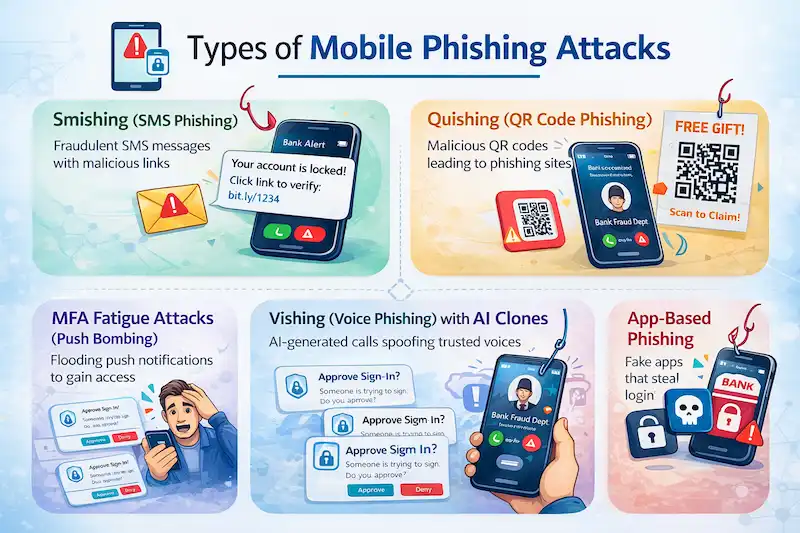
- Smishing (SMS Phishing): The most common mobile threat involves hackers sending phony text messages that impersonate banks, delivery services, or "HR updates" and contain dangerous URLs intended to install malware or steal login credentials.
- Quishing (QR Code Phishing): Malicious QR codes are placed on physical posters, parking meters, or in digital emails by attackers; scanning them gets over conventional email filters and directs the user to a counterfeit login site on their mobile browser.
- Vishing (Voice Phishing) with AI Clones: In order to deceive victims into disclosing private information or approving illegal wire transfers, scammers employ artificial intelligence (AI) to mimic the voices of trusted people (such as a CEO or family member) during live phone conversations.
- MFA Fatigue Attacks (Push Bombing): Once a password has been stolen, an attacker sends a constant "bombardment" of push notification requests to the victim's phone in the hopes that they will ultimately click "Approve" to end the obnoxious notifications.
- App-Based Phishing: Using "screen overlays," malicious apps that pose as trustworthy programs (such as "Battery Optimizers" or "PDF Scanners") appear over authentic banking apps and steal your username and password as you input.
How Attackers Trick Mobile Users?
In the following ways, attackers trick mobile users:
● UI Masking (The Swipe-Up Exploit): In order to take advantage of your "swipe-up" actions and send you to phishing websites, attackers superimpose malicious, invisible buttons on top of trustworthy apps.
● Multi-Channel Orchestration: To establish a false sense of authenticity and urgency, scammers send a phony security email followed right away by a "confirmation" SMS.
● Deepfake Social Proof: Mobile advertisements use AI-generated video clips of CEOs or celebrities to deceive consumers into downloading "exclusive" apps or falling for fraudulent investment schemes.
● Gamified "Mystery Box" Lures: By using psychological "loot box" techniques, users are tricked into clicking links for a "limited-time reward," avoiding rational suspicion in favor of a dopamine rush.
● "ClickFix" Clipboard Hijacking: Malicious scripts covertly replace copied cryptocurrency wallet addresses or private information in your phone's clipboard with the attacker's preferred location.
How to Protect Your Mobile Device from Phishing?
|
S.No. |
Factors |
How? |
|
1. |
Implement "Zero-Trust" Browser Extensions |
Make use of mobile security solutions that block known dangerous domains before the page even runs on your screen by instantly scanning URLs and QR code destinations. |
|
2. |
Switch to Hardware Security Keys |
To make it almost impossible for an attacker to remotely take over your session, replace SMS-based codes or push notifications with real FIDO2 security keys, such as a YubiKey. |
|
3. |
Verify via "Out-of-Band" Communication |
Never click the offered link if you receive an urgent SMS or "Vishing" call; instead, open the official app by hand or give the business a call back using a number you can trust from their website. |
|
4. |
Disable Automatic "Open" for QR Codes |
Modify your camera settings so that, instead of opening the website in your browser automatically, scanning a QR code simply displays the URL preview. |
|
5. |
Audit App Permissions Regularly |
Revoke "Overlay" or "Accessibility Service" permissions for third-party apps on a regular basis because these are commonly used for clipboard hijacking and UI masking. |
Future of Mobile Phishing and Cybersecurity in 2026
"Autonomous social engineering," in which AI agents engage in multi-day, multi-channel talks to establish profound trust prior to initiating an attack, is what defines the future of mobile phishing. With the use of AI-driven security analysts, cybersecurity is moving toward "Agentic Defense," which uses machine-speed real-time detection of these highly customized deepfakes and session-hijacking attempts.
Conclusion
Now that we have talked about how Phishing Attacks Work on Mobile Devices, you might want to protect yourself against such attacks professionally. For that, you can get in contact with Craw Security, offering a dedicated phishing simulation platform, phishnext, and training employees to not get victimized in such attacks. What are you waiting for? Contact, Now!
|
Note: To get a stress-free working environment, you can go for a specially designed tool, “PhishNext,” which provides specialized simulations of phishing attacks so that users can get used to such attacks and never become victims of such attacks. |
Security Learning Resources
- What Is AI Security Posture Management (AI-SPM)?
- Winner of the AI Arms Race: Threat Actors vs Cybersecurity Defenders
- Phishing Simulation: How It Works to Reduce Risk? | PhishNext
- 50% Rise in Ransomware Attacks Even as Payments Drop
- Top Tools That Hackers Use to Weaponize Emails | PhishNext
- Top Six Key Benefits & Core Features of Endpoint Security | PhishNext
- AI and Vishing Social Engineering Risks Aiming Businesses
- Phishing Scam Targets India AI Impact Summit Attendees: Urgent Security Advisory
- Even After AI Improves Secure Development, Why Cybersecurity Still Matters