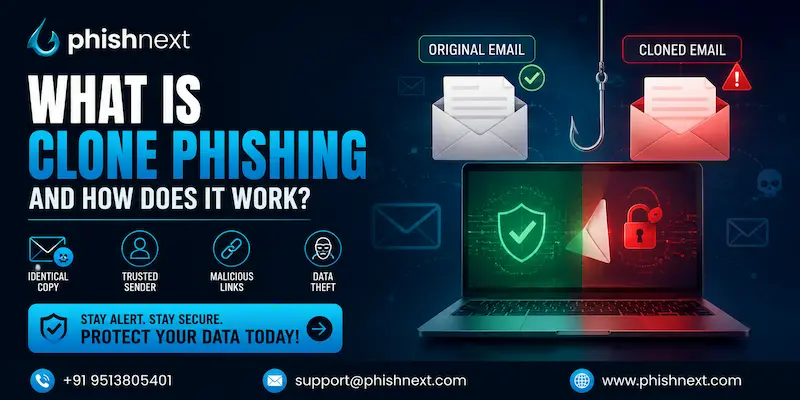
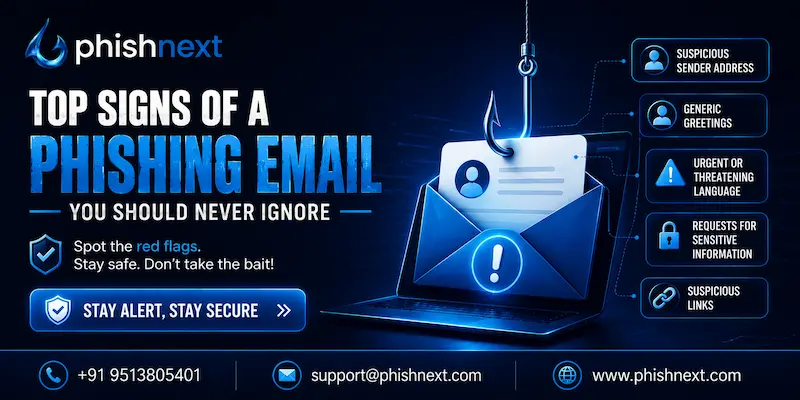
What Is Email Spoofing and How Is It Used in Phishing?
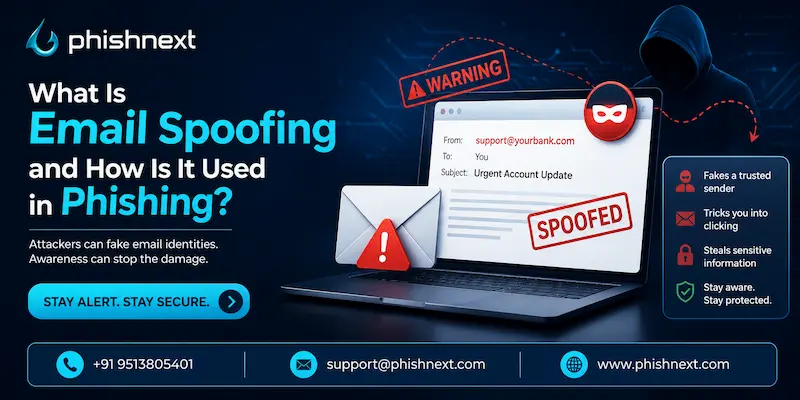
Do you know what Email Spoofing is, and how it can impact the lives of potential targets? If not, then you are at the right place. Here, we will talk about what Email Spoofing is, related impacts, and prevention techniques in detail.
Moreover, we will introduce you to a reliable phishing simulation solution offered by a reputable VAPT service provider. What are we waiting for? Let’s get started!
What Is Email Spoofing?
A cyberattack known as "email spoofing" occurs when a sender modifies email headers to give the impression that the message came from a reliable source or a well-known domain. Phishing and spam campaigns frequently employ this tactic to trick recipients into opening emails, clicking on harmful links, or divulging private information.
Unless domains have put in place contemporary security measures like SPF, DKIM, and DMARC, attackers can simply spoof sender addresses because traditional email protocols lack built-in authentication techniques.
Let’s take a look at what Email Spoofing is, its main target, its impacts, and how you can protect yourself against online threats!
How Does Email Spoofing Work?
Email spoofing works in the following ways:
1. Exploits SMTP Vulnerabilities: There is no way to confirm the sender's true identity in the basic email protocol.
2. Altering Email Headers: In order to display a fictitious sender address, attackers manually alter the "From" and "Reply-To" sections in the email code.
3. Using Lookalike Domains: In order to imitate reputable, trustworthy brands, scammers register domains with tiny typos or visual resemblance.
4. Bypassing Basic Email Filters: When counterfeit headers successfully match the expected format of real emails, basic security filters are misled.
5. Tricking the Recipient: Victims are tricked into disclosing information or clicking on harmful websites when they recognize a familiar identity.
Email Spoofing vs Phishing: What Is the Difference?
|
S.No. |
Topics |
Factors |
What? |
|
1. |
Email Spoofing |
The Definition |
In order to make a message appear to be from someone else, an attacker uses a particular technological technique in which they fabricate email headers. |
|
The Focus |
Identity deception is the main objective, tricking both the recipient and the email server into believing that the sender is who they say they are. |
||
|
The Mechanism |
By employing lookalike domains or changing variables like "From" and "Return-Path," it takes advantage of flaws in the SMTP protocol. |
||
|
2. |
Phishing |
The Definition |
It is a more general form of social engineering cybercrime that aims to steal money, install malware, or steal sensitive data. |
|
The Focus |
The ultimate scam's main objective is to fool the victim into doing anything, such as clicking a dangerous link or divulging login details. |
||
|
The Mechanism |
It utilizes various delivery methods (emails, SMS, phone calls, or fake websites) and relies heavily on psychological manipulation, urgency, and fear. |
Why Do Cybercriminals Use Email Spoofing in Phishing Attacks?
Cybercriminals use email spoofing in phishing attacks for the following reasons:
● Bypasses Initial Suspicion: Because the message seems to be from a well-known company, coworker, or authoritative figure, victims immediately trust it.
● Creates a Sense of Urgency: When someone impersonates an authority figure (such as a superior or a financial institution), this gives the impression that urgent action is warranted and that such demands are valid.
● Tricks Basic Security Filters: Forged headers can replicate standard email formats sufficiently to bypass legacy security tools that do not have robust authentication checks.
● Hides the Attacker's True Identity: By masking the actual sending address, the criminal can maintain total anonymity and cannot be traced by the victim.
● Increases Success Rates of the Scam: The chances of the victim falling for the bait increase greatly when psychological manipulation is combined with a sender address that looks realistic.
Common Types of Email Spoofing Attacks
The following are some common types of email spoofing attacks:
a) Sender Name Spoofing: Only the display name, which is visible, is altered by the attackers; the underlying email address, which is not connected, is left as is.
b) Lookalike Domain Spoofing: To imitate a genuine organization, fraudsters create a domain that contains small errors or visually similar characters.
c) Legitimate Domain Spoofing: Criminals take advantage of the absence of SPF/DKIM protections by injecting a target's precise domain into the header.
d) Mismatched Headers: The "From" address seems to be valid, but responses are covertly directed to an entirely different address controlled by the attacker.
e) Internal / CEO Fraud: To deceive employees into making immediate wire transfers or divulging information, assailants take on the guise of top executives.
Business Email Compromise (BEC) and Email Spoofing
Business Email Compromise (BEC) represents a complex financial fraud scheme in which perpetrators aim at organizations by mimicking the identities of executives, business partners, or vendors in order to deceive employees into transferring money or divulging sensitive information.
BEC embodies the all-encompassing social engineering fraud, whereas email spoofing serves as the main technical method for carrying it out. This tactic enables criminals to create fake email headers and convincingly imitate trusted internal or external identities.
Real-World Examples of Email Spoofing in Phishing
The following are real-world examples of email spoofing in phishing:
1. The Toyota Boshoku Corporation Scam (2019): To deceive an executive into authorizing a wire transfer of $37 million, attackers impersonated a legitimate supplier of electronic components.
2. The Facebook and Google Whaling Attack (2013–2015): By posing as a significant hardware supplier, a con artist exploited fake invoices and email accounts to rob the two tech behemoths of more than $100 million.
3. The Sony Pictures Mega-Hack (2014): Hackers employed spoofed emails from executives to send spear-phishing messages that effectively stole credentials and incapacitated the company's network.
How Attackers Bypass Email Security Using Spoofing?
Attackers bypass email security using spoofing in the following ways:
● Exploiting Misconfigured Authentication: To bypass security checks, attackers take advantage of SPF, DKIM, or DMARC records that are either absent or not configured correctly.
● Using Lookalike Domains: They circumvent direct domain blocks by creating fake "cousin domains" that closely resemble the target brand.
● Abusing Trusted Third-Party Services: They dispatch harmful emails via legitimate marketing or cloud services (such as Mailchimp or AWS) that filters are already trusted.
● Manipulating the Display Name: To completely avoid technical filters, attackers modify just the sender name that is visible, while keeping the real email address unchanged.
● Employing Clean Legitimate Links: They conceal malware within secure, reputable cloud links (such as Google Drive or OneDrive) that scanners do not identify.
The Role of Email Security Solutions in Preventing Spoofing
|
S.No. |
Roles |
What? |
|
1. |
Enforcing Strong Email Authentication |
Security solutions prevent spoofed emails by rigorously verifying SPF, DKIM, and DMARC cryptographic records. |
|
2. |
Inbound and Outbound Traffic Inspection |
Continuous scanning prevents known malicious attachments, harmful links, and suspicious sender IPs from getting through in real time. |
|
3. |
Advanced AI and Behavioral Analysis |
Anomalies are detected by machine learning through the comparison of communication patterns with a baseline of typical user behavior. |
|
4. |
Lookalike Domain and Typosquatting Detection |
Systems take the initiative to mark for attention any incoming emails from cousin domains that are either visually misleading or have only recently been registered. |
|
5. |
Automated Banner Alerts and Quarantine |
Threats are automatically isolated, whereas borderline emails get warning banners to notify unsuspecting users. |
Best Practices to Prevent Email Spoofing Attacks
The following are the best practices to prevent email spoofing attacks:
a) Implement and Enforce DMARC (with SPF and DKIM): Secure your domain by employing cryptographic verification methods to completely prevent unauthorized senders.
b) Deploy AI-Powered Email Security Gateways: Utilize sophisticated filters that assess communication patterns and language to detect spoofing attempts as they happen.
c) Enable External Sender Warning Banners: Incorporate obvious visual notifications into all incoming external communications so that staff can immediately identify simulated internal emails.
d) Conduct Regular Security Awareness Training: Instruct personnel in identifying the warning signs of lookalike domains and urgent requests that are not typical of the situation.
e) Establish Strict Out-of-Band Verification Protocols: Before authorizing any transfers of data or finances, necessitate a second confirmation channel (e.g., a verified phone number).
How Phishing Awareness Training Helps Stop Email Spoofing Attacks?
Phishing awareness training helps stop email spoofing attacks in the following ways:
1. Teaches Domain Scrutiny: The training educates users to scrutinize sender addresses for the subtle typographical errors and character replacements found in lookalike domains.
2. Exposes Display Name Tactics: Employees are trained to look beyond the friendly display name and verify the actual underlying email address for indications of spoofing.
3. Identifies Psychological Triggers: It aids users in identifying the deceptive urgency, fear, or authority signals that assailants employ to evade critical thought.
4. Reinforces Out-of-Band Verification: Training establishes the practice of verifying unusual requests through a separate, trusted communication method such as a phone call.
5. Builds a Culture of Reporting: Staff who are well-trained actively identify and report dubious emails, which enables security teams to swiftly prevent extensive spoofing operations.
What to Do If You Receive a Spoofed Email?
|
S.No. |
Factors |
What? |
|
1. |
Do Not Interact |
As this verifies to the attacker that your email address is active, you should avoid clicking links, downloading attachments, or responding to the message. |
|
2. |
Inspect the Headers |
Examine the technical email headers to determine the actual origin IP and whether it did not pass SPF, DKIM, or DMARC authentication. |
|
3. |
Verify via an Alternative Channel |
To verify whether they really sent it, reach out to the alleged sender through a reliable, familiar phone number or a different messaging service. |
|
4. |
Report the Incident |
Send the email to your organization’s IT security team, or utilize the “Report Phishing” button from your email provider to prevent the sender from contacting you. |
|
5. |
Delete and Purge |
To avert any future unintentional clicks, ensure the email is removed from your inbox and trash folder permanently. |
Future Trends in Email Spoofing and Phishing Attacks
The following are some future trends in email spoofing and phishing attacks:
● Hyper-Personalized Generative AI Attacks: AI will generate impeccable, highly personalized emails that are customized to a victim's public social media activity.
● The Rise of "Quishing" (QR Code Phishing): To circumvent conventional text-based email filters, assailants will more and more conceal harmful links within QR codes.
● Multi-Channel Interconnected Scams: To enhance credibility, campaigns will merge spoofed emails with automated SMS and deepfake voice calls occurring at the same time.
● Adversary-in-the-Middle (AiTM) Phishing Kits: Advanced kits will circumvent multi-factor authentication (MFA) by stealing active session cookies in real time.
● Shifting to Contextual Behavioral Detection: Security will evolve from relying solely on static header checks to examining the deeper meaning and purpose behind communications.
Conclusion
Now that we have talked about what Email Spoofing is, you might want to get a dedicated security solution to avoid such attempts. For that, you can go for PhishNext, a dedicated phishing simulation platform offered by Craw Security.
PhishNext can help users to learn how various types of phishing attacks work and how they can protect themselves against such attacks by avoiding them with ease. What are you waiting for? Contact, Now!
Frequently Asked Questions
About Email Spoofing
1. What is email spoofing in cybersecurity?
Email spoofing is a type of cyberattack in which the sender modifies email headers to make it look like the message came from a trusted source, usually for phishing or to disseminate malware.
2. How does email spoofing differ from phishing?
Email spoofing involves the technical method of faking email headers to impersonate a sender, while phishing is the wider cybercrime that employs these false identities to deceive victims into disclosing sensitive information.
3. Can email spoofing be used without phishing?
Yes, email spoofing can be employed without phishing for benign purposes such as legitimate email marketing distribution, or for various cyberattacks like disseminating malware or sending spam.
4. How can I identify a spoofed email?
You can identify a spoofed email in the following ways:
a) Check the Actual Email Address,
b) Inspect the Technical Email Headers,
c) Look for Authentication Failures,
d) Spot Visual Discrepancies, and
e) Analyze the Emotional Tone.
5. What are the common signs of an email spoofing attack?
The following are the common signs of an email spoofing attack:
a) Discrepancy Between Display Name and Email Address,
b) Mismatched "Reply-To" Headers,
c) Subtle Typos in the Domain (Typosquatting),
d) Authentication Failures in Email Details, and
e) High-Urgency Language and Unusual Requests.
6. How do SPF, DKIM, and DMARC prevent email spoofing?
They collaborate by enabling domain proprietors to enumerate approved sending servers (SPF) and to cryptographically endorse messages (DKIM), with DMARC offering guidance to receiving servers on managing emails that do not pass these verifications.
7. What should I do if I receive a spoofed email?
You should do the following tasks if you receive a spoofed email:
a) Do Not Interact,
b) Verify via an Alternative Channel,
c) Report the Email immediately,
d) Inspect the Headers (If Capable), and
e) Delete and Purge the Message.
8. Can email security software detect spoofed emails?
Yes, sophisticated email security solutions can identify spoofed emails through the examination of domain authentication records (SPF, DKIM, DMARC), assessment of sender reputation, and the application of AI to detect unusual behavior or domains that resemble legitimate ones.
9. How can businesses protect themselves from email spoofing attacks?
Businesses can protect themselves from email spoofing attacks in the following ways:
a) Implement Strict DMARC Protocols,
b) Deploy AI-Driven Email Security Gateways,
c) Enable External Sender Warning Banners,
d) Enforce Out-of-Band Verification Rules, and
e) Conduct Regular, Simulated Phishing Training.
10. Is phishing awareness training effective against email spoofing?
Yes, phishing awareness training proves to be very effective against email spoofing, as it teaches users to go beyond display names, recognize lookalike domains, and adhere to stringent verification procedures for atypical requests.