What Is Clone Phishing and How Does It Work?
Do you know what Clone Phishing is and how it can affect the lives of innocent people victimized by it? If not, then you are at the right place. Here, we will talk about clone phishing and prevention techniques in detail.
Moreover, we will introduce you to a reliable phishing simulation platform offered by a reputable VAPT service provider. What are we waiting for? Let’s get started!
What Is Clone Phishing?
In a highly advanced form of cyberattack known as clone phishing, an attacker intercepts a legitimate email that was sent earlier and that contains an attachment or a link. The attacker then makes an exact copy (or "clone") of this email and substitutes the safe file or URL with a harmful one.
An address that appears to be almost the same as that of the genuine sender is used to dispatch the impersonated email. This takes advantage of the victim's established trust in the earlier correspondence in order to deceive them into carrying out the payload.
The email reflects a genuine dialogue the recipient has previously engaged in, resulting in its success rate for circumventing normal user doubt being particularly high. Let’s take a look at what Clone Phishing is, its impacts and prevention!
Clone Phishing vs Spear Phishing vs Whaling
|
S.No. |
Topics |
Factors |
What? |
|
1. |
Clone Phishing |
The Method |
Depends on replicating a valid, previously sent email and substituting the secure attachments or links with harmful ones while pretending it is an “updated” or “corrected” version. |
|
The Target |
Encompasses a broad range of standard users or employees who have interacted in the past with the impersonated, reputable organization or brand. |
||
|
2. |
Spear Phishing |
The Method |
Utilizes meticulously customized and investigated OSINT information (such as identities, job functions, and recent organizational actions) to create specialized social engineering bait. |
|
The Target |
Concentrates directly on a particular mid-level person, department (such as HR or Finance), or organization to establish an initial network presence or credentials. |
||
|
3. |
Whaling |
The Method |
Utilizes deception of the highest sophistication and risk, frequently incorporating deepfakes, voice cloning, or intricate legal situations that are meant to imitate executive power. |
|
The Target |
Chooses only high-profile, C-level executives (such as CEOs, CFOs, or board members) who are responsible for major financial dealings or confidential information. |
Key Characteristics of a Clone Phishing Email
The following are some key characteristics of a clone phishing email:
1. Nearly Identical Visual Appearance: Copies the precise arrangements, typefaces, logos, and endorsements of a bona fide email that was received earlier.
2. Spoofed or Near-Lookalike Sender Addresses: Utilize subtle typosquatting or display-name spoofing to closely imitate the original sender's domain.
3. Urgency-Driven Lures: Allege that the earlier link or document was damaged, revised, or out of date to incite instant user activity.
4. Weaponized Call-to-Action: Substitutes the original secure link or attachment with a harmful payload or a URL designed to collect credentials.
5. Slight Contextual Alterations: Ändert winzige Details wie Rechnungsnummern, Daten oder Zahlungsportale, während der Rest der Nachricht unverändert bleibt.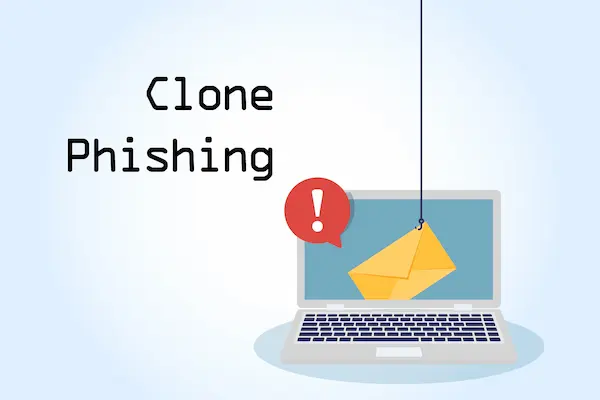
How do Cybercriminals Create Clone Phishing Emails?
Cybercriminals can create clone phishing emails in the following ways:
● Intercepting or Harvesting Legitimate Emails: Through previous compromises, malware, or open-source data leaks, attackers gain access to inbox logs.
● Replicating the Design and Content: They replicate the precise HTML source code, logos, and layout of an actual message that was sent earlier.
● Registering Typosquatted Domains: They buy lookalike domains that imitate the name of the trusted sender with slight misspellings or character replacements.
● Swapping Safe Links and Attachments: They substitute legitimate URLs and files with malware payloads or landing pages designed to collect malicious credentials.
● Crafting an Urgency-Based Pretext: They assert that the earlier message included a mistake or an invalid link in order to induce a rapid response from the target.
How Does Clone Phishing Work?
|
S.No. |
Factors |
How? |
|
1. |
Initial Compromise or Interception |
Through data breaches, spyware, or previous network intrusions, attackers obtain access to authentic email logs, threads, or corporate mailboxes. |
|
2. |
Exact Template Replication |
They replicate the entire HTML source, logos, disclaimer text, and formatting of an actual, previously sent email exactly down to the pixel. |
|
3. |
Infrastructure Spoofing |
They use lookalike domains or take advantage of SMTP relay exploits to send the message from an address that closely resembles the trusted sender. |
|
4. |
Payload Weaponization |
They substitute the original secure attachment or hyperlink with malware, a ransomware executable, or a fraudulent login landing page. |
|
5. |
The "Correction" Lure |
They send the spoofed message as a follow-up or resend, misleadingly asserting that the original file was corrupted, broken, or updated. |
Clone Phishing Attack Process: Step-by-Step
Clone phishing attacks work in the following steps:
a) Step 1: Infiltration or Interception: Through data leaks, compromised mailboxes, or network spying, attackers collect genuine email threads.
b) Step 2: Selecting the Target and Template: They choose a message with a high level of trust that includes a link or attachment and that the target has opened already.
c) Step 3: Creating the Perfect Clone: They replicate the precise HTML structure, logos, fonts, and employee signatures from the original email.
d) Step 4: Infrastructure and Domain Spoofing: They purchase domains that resemble the legitimate ones or alter email headers to imitate the true sender’s identity.
e) Step 5: Weaponizing the Content: They replace the original secure hyperlinks or file attachments with harmful payloads or counterfeit login pages.
f) Step 6: Executing the "Correction" Lure: They dispatch the cloned email as an "update," asserting that the prior link was broken or corrupted.
g) Step 7: Exploitation and Compromise: The victim, trusting the link or file, clicks it, which results in the unintended installation of malware or the surrendering of network credentials.
Common Techniques Used in Clone Phishing Attacks
The following are some common techniques used in clone phishing attacks:
1. Typosquatting and Lookalike Domains: They acquire domain names that contain slight misspellings or character substitutions (such as arnazon.com) to deceive the recipient.
2. Email Header and Display Name Spoofing: They alter the display name of the sender and the mail headers to create the illusion that the message is genuine.
3. HTML and Template Stealing: They retrieve the precise source code, style sheets, and embedded graphics from a valid corporate email.
4. Link Weaponization and Credential Harvesting: They exchange legitimate URLs for harmful links that lead to impeccably accurate, counterfeit login pages.
5. Macro-Enabled and Archive Payloads: To evade filters, they substitute clean attachments with password-protected ZIP files or harmful Office documents.
Warning Signs That Indicate a Clone Phishing Email
|
S.No. |
Signs |
What? |
|
1. |
An Unexpected "Correction" or "Update" Pretext |
A message comes in stating that a prior, valid link or file was broken and must be resent. |
|
2. |
Subtle Abnormalities in the Sender's Domain |
The address of the sender includes minor, concealed character modifications or errors (e.g., an rn in place of an m). |
|
3. |
Slight Shifts in Greeting or Writing Style |
The tone is devoid of typical personalization or employs generic salutations in comparison to the original thread. |
|
4. |
Changed Destinations for Hyperlinks |
When the link is hovered over, a URL is shown that differs completely from the genuine organization’s domain. |
|
5. |
Unexpected Requests for Sensitive Action |
Out of the blue, the message calls for urgent credentials, immediate wire transfers, or quick file downloads. |
How Attackers Weaponize Lookalike Domains and Homograph Attacks?
Attackers weaponize lookalike domains and homograph attacks in the following ways:
● Exploiting Internationalized Domain Names (IDNs): They employ non-ASCII Unicode characters from Greek or Cyrillic scripts to create a visual imitation of standard Latin letters.
● Character Swapping and Typosquatting: They capture variations of the target domain by using frequent misspellings, oversights, or visual substitutions, such as changing "m" to "rn".
● Configuring Authentic Email Infrastructure: To pass basic security checks, they established valid SPF, DKIM, and DMARC records on the lookalike domain.
● Deploying Automated Cloning Scripts: They employ automated scrapers to instantly replicate the login portal of the legitimate target website onto the spoofed domain.
● Bypassing Secure Email Gateways (SEGs): They exploit the untainted reputation of newly registered, technically valid domains to bypass conventional signature filters.
Real-World Examples of Clone Phishing Attacks
The following are some real-world examples of clone phishing attacks:
a) The 2017 Google Docs Phishing Campaign: To instantly take over millions of Gmail accounts, attackers created multiple copies of a legitimate app permission prompt.
b) The Australian myGov Portals Scam: Scammers replicated genuine tax agency emails, connecting victims to fraudulent portals to extract their login credentials and banking information.
c) Vendor Invoice Modification Fraud: Malicious agents capture emails containing corporate invoices and dispatch a duplicate that includes modified, harmful bank routing information.
Best Practices to Prevent Clone Phishing Attacks
|
S.No. |
Factors |
What? |
|
1. |
Implement Strict DMARC, SPF, and DKIM Protocols |
Authorize strict alignment rules that will automatically prevent spoofed domain emails. |
|
2. |
Deploy Advanced Anti-Phishing Link and Attachment Sandboxing |
Utilize security tools powered by AI to examine URLs and attachments before their delivery. |
|
3. |
Mandate Out-of-Band Verification for Critical Requests |
Confirm any alterations to finances or routing through a reliable phone call from a different source. |
|
4. |
Enforce FIDO2-Compliant Phishing-Resistant MFA |
Use hardware security keys to stop credential theft on sites that resemble the real thing. |
|
5. |
Conduct Targeted, Context-Specific Security Awareness Training |
Instruct staff on how to recognize lookalike domains and urgent “correction” pretexts. |
How Can Organizations Protect Employees from Clone Phishing?
Organizations can protect employees from clone phishing in the following ways:
1. Deploy AI-Powered Email Defense with NLP: Utilize behavioral AI to identify abrupt, unusual changes in the tone of writing and the intent of communication.
2. Enforce Strict Domain Authentication (DMARC, SPF, and DKIM): Implement strict email policies to prevent and eliminate incoming messages that impersonate your trusted domains.
3. Implement FIDO2/WebAuthn Phishing-Resistant MFA: Utilize hardware tokens or passkeys that prevent authentication on unauthorized lookalike domains.
4. Mandate Out-of-Band (OOB) Verification Policies: Need a direct phone call or text confirmation before handling unexpected billing updates.
5. Utilize Continuous Link and Attachment Sandboxing: In isolated cloud environments, scan and detonate unexpected email links and payloads that are unexpected.
The Role of Email Security Solutions in Preventing Clone Phishing
The following are the roles of email security solutions in preventing clone phishing:
● Behavioral AI and Natural Language Processing (NLP): Examine incoming communications to identify deviations in the sender's style, purpose, and chat history.
● Strict Domain Authentication Enforcement: Confirms the alignment of DMARC, SPF, and DKIM to automatically eliminate emails originating from spoofed or unauthorized domains.
● Time-of-Click URL Sandboxing: Rewrites and analyzes embedded links in real-time when a user clicks on them to detect any delayed harmful redirects.
● Continuous Internal Email Scanning: Monitors intra-company mailboxes in a retroactive manner to retrieve newly weaponized messages or lateral threat movements.
● Visual Warning Banner Injection: Places dynamic, highly visible notifications on external or similar emails to foster employee skepticism before engagement.
What to Do If You Fall Victim to a Clone Phishing Attack?
|
S.No. |
Factors |
What? |
|
1. |
Isolate Your Device and Disconnect |
To prevent malware from spreading laterally across the network, immediately disable your Wi-Fi and disconnect Ethernet cables. |
|
2. |
Reset Account Credentials and Sessions |
Utilize a different secure device for changing your passwords and for forcefully ending all sessions that are currently active and logged in. |
|
3. |
Activate Phishing-Resistant MFA |
Utilize FIDO2/WebAuthn hardware keys or passkeys to thwart attackers from exploiting stolen credentials in other locations. |
|
4. |
Report the Incident Immediately |
Immediately notify your company's IT security team, financial institutions, and relevant fraud compliance centers. |
|
5. |
Scan for Persistent Malware |
Utilize updated Endpoint Detection and Response (EDR) or antivirus tools to conduct a thorough, in-depth system scan. |
Post-Incident Remediation and Password Reset Policies
The following are some post-incident remediation and password reset policies:
a) Enforce Global Session Revocation: Immediately terminate all active login tokens and OAuth permissions throughout the entire enterprise tenant.
b) Mandate Immediate Out-of-Band Password Resets: Mandate that users refresh their credentials via verified secondary channels that are not part of the compromised network.
c) Audit and Purge Mailbox Forwarding Rules: Examine user accounts to identify and remove concealed inbox rules set up by attackers to collect data.
d) Implement Phishing-Resistant MFA Enforcement: Prevent future compromises by switching accounts to FIDO2/WebAuthn hardware keys or passkeys.
e) Conduct Forensic Endpoint Threat Hunting: Execute comprehensive EDR scans to identify and eliminate persistent backdoors, web shells, or concealed malware.
Conclusion
Now that we have talked about what Clone Phishing is, you might want to get your hands on a dedicated security solution to fight against such phishing attacks. For that, you can go for PhishNext, a dedicated phishing simulation platform offered by Craw Security.
PhishNext can help users to learn more about how such phishing attacks work and the ways they can secure themselves against them. Thus, you can feel safer working online. What are you waiting for? Contact, Now!
Frequently Asked Questions
About Clone Phishing
1. What is an example of clone phishing?
A case of clone phishing is when you get an email that resembles a genuine shared-file notification you accessed the day before, but the "updated" link directs you to a fraudulent login page intended to capture your credentials.
2. Can I check if my phone has been cloned?
Yes, you can verify it by watching out for warning signs such as an abrupt drop in cellular service, unanticipated location indicators in your "Find My" application, strange outgoing calls on your phone bill, or by calling *#21# to check if your calls are being illegally redirected.
3. What are four types of phishing clone phishing?
The following are the four types of phishing clone phishing:
a) Clone Phishing,
b) Spear Phishing,
c) Whaling, and
d) Smishing (SMS Phishing).
4. What is phishing and how does it work?
Phishing represents a form of cyberattack in which fraudsters, masquerading as reputable entities, dispatch misleading communications most often through email, SMS, or telephone with the aim of duping people into divulging confidential information (e.g., passwords), clicking on harmful hyperlinks, or installing malware.
5. How does clone phishing work?
Clone phishing works in the following ways:
a) Interception and Harvesting,
b) Exact Replication,
c) Weaponization,
d) Identity Spoofing, and
e) The "Correction" Lure.
6. What are the 4 P's of phishing?
The following are the 4 Ps of phishing:
a) Pretext,
b) Prey,
c) Plausibility, and
d) Pressure.
7. What are three types of phishing?
The following are the three types of phishing:
a) Spear Phishing,
b) Clone Phishing, and
c) Whaling.
8. What are 7 signs of phishing?
The following are the 7 signs of phishing:
a) Urgent or Threatening Language,
b) Mismatched or Lookalike Sender Addresses,
c) Suspicious or Misaligned Hyperlinks,
d) Generic Greetings and Lack of Personalization,
e) Unusual Requests for Sensitive Information,
f) Unexpected Attachments, and
g) Spelling, Grammar, or Formatting Errors.
9. What is the best way to avoid phishing?
The following are the best ways to avoid phishing:
a) Enforce Phishing-Resistant Multi-Factor Authentication (MFA),
b) Verify Sender Domains and Hyperlinks Dynamically,
c) Use Out-of-Band Verification for Urgent Requests,
d) Deploy Advanced AI-Powered Email Filters, and
e) Adopt a "Zero-Trust" Mindset for Unexpected Attachments.
10. How do hackers clone your email address?
Hackers clone your email address in the following ways:
a) Exploiting Lack of Domain Authentication,
b) SMTP Header Manipulation,
c) Typosquatting and Lookalike Domains,
d) Display Name Spoofing, and
e) Direct Mailbox Compromise (Thread Hijacking).