What is a browser-in-the-browser (BitB) attack?
Do you know what kind of vicious attack browser-in-the-browser (BitB) attack is and its impacts? If not, then you are at the right place. Here, we will talk about this attack in detail and find the best solutions to deal with it.
Moreover, we will introduce you to a dedicated phishing simulation platform offered by a reputable VAPT service provider. What are we waiting for? Let’s get straight to the topic!
What is a browser-in-the-browser (BitB) attack?
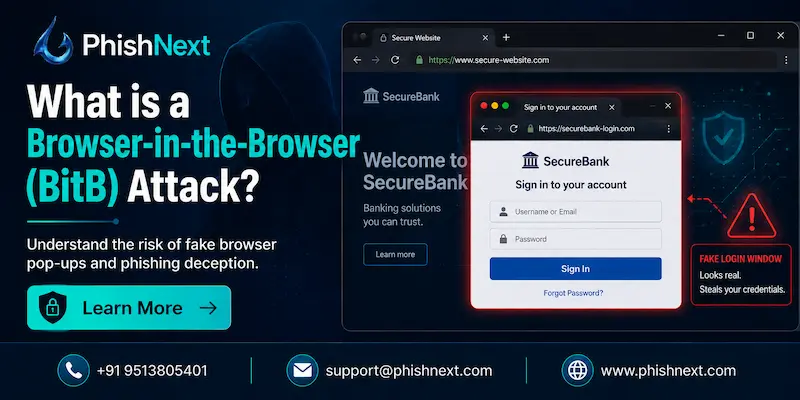
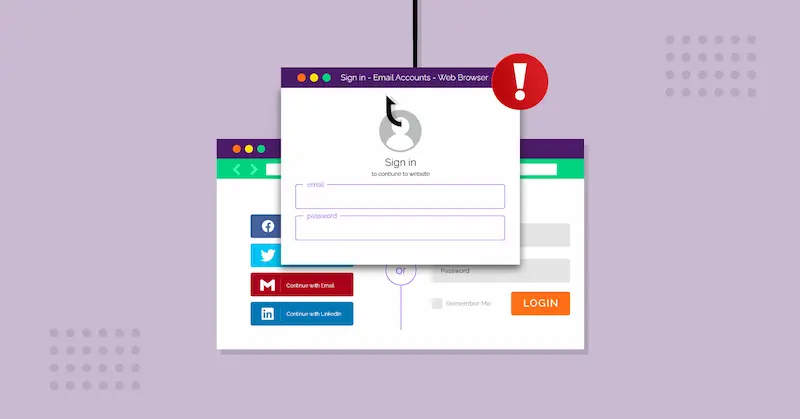
A Browser-in-the-Browser (BitB) attack is a sophisticated phishing tactic in which the attacker creates a pixel-perfect false window using HTML and CSS that seems like a genuine third-party login pop-up, like "Sign in with Google."
This technique shows an entirely fake address bar and SSL padlock inside the active tab to trick even wary viewers, in contrast to conventional phishing websites that use look-alike URLs. The attacker can obtain usernames, passwords, and even two-factor authentication codes in real time by deceiving the victim into inputting their credentials into this fake interface.
Let’s talk about the browser-in-the-browser (BitB) attack in detail and find out the best solution to protect ourselves against such attacks!
How does a BitB attack work?
|
S.No. |
Factors |
How? |
|
1. |
The Lure |
The attacker either compromises a trustworthy website or hosts a malicious one. A user is prompted to log in using a well-known third-party service (such as "Sign in with Google," "Facebook," or "Microsoft") when they visit the page. |
|
2. |
The Simulated Window |
The website renders an "iframe" or "div" container that resembles a browser pop-up using HTML, CSS, and JavaScript rather than launching a new window. This features a phony URL bar, minimize/close buttons, and a phony title bar. |
|
3. |
URL Spoofing |
The attacker can display any URL (such as https://accounts.google.com) in the fictitious address bar since the window is completely composed of code from the current page. To give the impression of security, they even incorporate a phony SSL padlock image. |
|
4. |
Data Interception |
The data is not transmitted to the actual service provider when the user fills out the fictitious form. Rather, a script that runs in the background sends it straight to the attacker's command-and-control server. |
|
5. |
The Hand-off |
The script may actually log the user into the genuine service after taking the data or reroute them to the legitimate website to allay suspicions, making the attack nearly undetectable to the victim. |
BitB attacks in the real world
The following are some BitB attacks in the real world:
1. Gaming Account Thefts (Steam & Discord): Attackers use Steam or Discord to send phony tournament invites or "free skin" offers to gamers. The BitB pop-up that appears when the user opens the link is an exact replica of the Steam Guard or Discord login page. Through real-time capture of both credentials and 2FA codes, attackers were able to hijack accounts valued at over $300,000 in a single campaign.
2. Cryptocurrency & NFT "Quishing": BitB and "Quishing" (QR code phishing) were combined in 2025 and 2026. A BitB window appears in a mobile browser tab when victims scan a QR code that is frequently spotted on phony cryptocurrency exchange news websites. As soon as the user "connects" their account to the phony website, this window emulates a MetaMask or Coinbase login to drain their digital wallet.
How to protect against a browser-in-the-browser attack?
In the following ways, you can protect yourself against a browser-in-the-browser attack:
● The "Window Drag" Test: Try dragging the login pop-up window across the edge of the address bar or browser tab. A BitB fake is "trapped" inside the browser tab and will vanish or be cut off at the edges, whereas a real window can move freely across your screen.
● Use a Dedicated Password Manager: Because the "parent" site is bad, the manager will not automatically enter your credentials into the fictitious BitB window. Tools such as Bitwarden, 1Password, or LastPass recognize websites by their genuine domain.
● Enable Hardware Security Keys: For MFA, use physical U2F/FIDO2 keys (such as a Yubikey); these devices verify the site's origin at the hardware level and will not authenticate if the underlying domain is not the correct one.
● Check for OS-Browser Discrepancies: Attackers frequently employ a "one-size-fits-all" design; if the pop-up displays "minimize/close" buttons in the Windows manner (or vice versa) when you are on a Mac, it is unmistakably a BitB attack.
● Maximize the Browser Window: The login pop-up is probably an incorporated HTML element rather than a system-level window if you maximize your primary browser window and it changes or scales differently than typical OS behavior.
Conclusion
Now that we have talked about browser-in-the-browser (BitB) attacks, you might want to protect yourself against such vicious attacks. For that, you can go for Phish Next, a dedicated phishing simulation platform offered by Craw Security.
This platform uses various phishing simulations to train users to let them identify any suspicious activity on the internet to not get scammed or phished. What are you waiting for? Contact, Now
Read More: