What Are Text Phishing Scams? Meaning, Examples & Prevention
Let’s talk about what Text Phishing Scams are and how they victimize people! Every day, a lot of people get attacked by phishing emails & such malicious attempts because they have something so familiar that the victim doesn’t even think twice before clicking such emails.
Moreover, we will introduce you to a reliable phishing simulation platform offered by a reputable VAPT service provider. What are we waiting for? Let’s get straight to the topic!
What Are Text Phishing Scams?
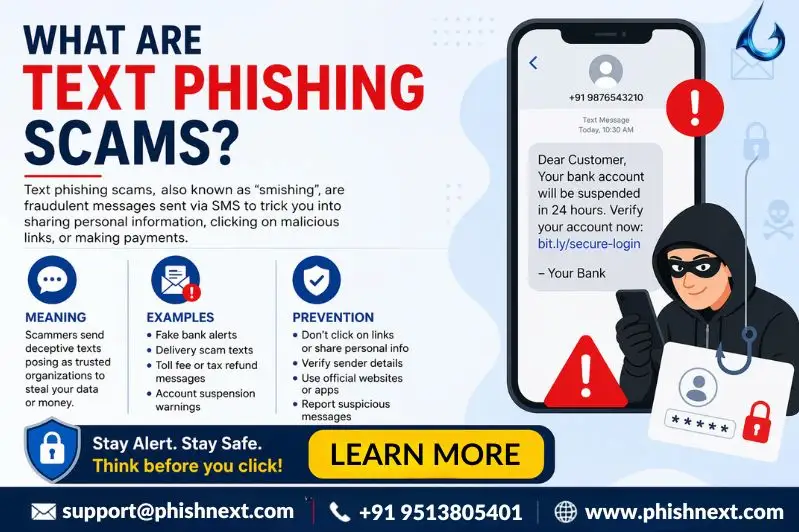
Text phishing, sometimes referred to as "smishing," is a type of cyberattack in which con artists send phony texts to mobile devices pretending to be reputable companies in order to fool users into disclosing private information.
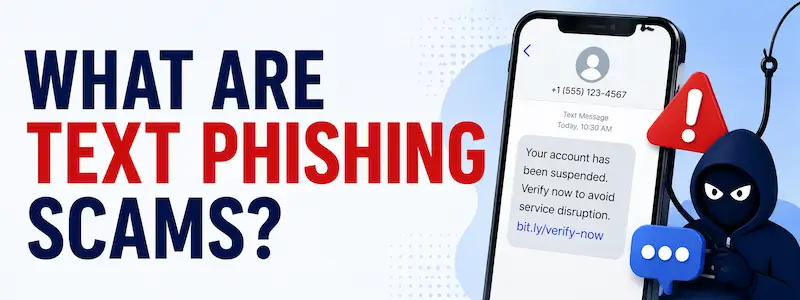
These messages usually instill a sense of urgency and contain harmful links that take users to phony websites intended to steal personal information, financial information, or login credentials. Attackers seek to circumvent conventional email-based security filters and obtain rapid access to a user's accounts by taking advantage of the innate trust consumers place in their mobile devices.
Let’s take a look at what Text Phishing Scams are and how you can prevent yourself from becoming a victim of them!
What is Smishing in Cybersecurity?
Smishing is a kind of social engineering assault in which hackers deceive people into installing malware or disclosing private information by sending them false SMS or text messages. These communications frequently pose as reputable organizations, such as banks or delivery services, in order to take advantage of the user's confidence and employ harmful links or attachments to trigger quick, dangerous actions.
How Text Phishing Scams Work?
|
S.No. |
Factors |
How? |
|
1. |
The Lure |
In order to generate a sense of urgency or curiosity, attackers send false SMS messages posing as reliable organizations, including banks or delivery firms. |
|
2. |
The Call to Action |
In order to resolve a fictitious "issue" or claim an offer, the message asks the receiver to click a shortened, malicious URL or react with personal information. |
|
3. |
The Malicious Interface |
When the user clicks the link, they are taken to a flawlessly replicated fraudulent website that is intended to collect financial details, login credentials, or personal information. |
|
4. |
Data Exfiltration |
The information is discreetly sent to the attacker's backend server for storage and instant usage after the victim inputs their details on the phony website. |
|
5. |
Exploitation & Fraud |
The stolen information is used by the attackers for identity theft, fraudulent financial activities, and unauthorized account access. |
Common Types of Text Phishing Attacks
The following are some of the common types of text phishing attacks:
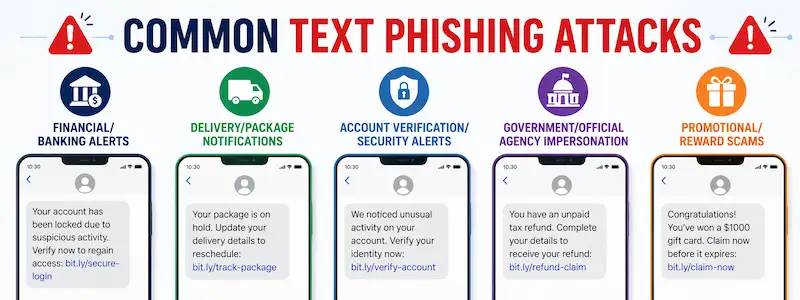
- Financial/Banking Alerts: These messages compel victims to click a link in order to "verify" their identity and credentials, claiming unlawful account activity or card bans.
- Delivery/Package Notifications: By pretending to be courier services and claiming that a delivery was unsuccessful or that a modest "redelivery fee" is required, scammers trick victims into visiting a website that obtains credit card information.
- Account Verification/Security Alerts: These warnings, which say an unidentified device accessed the account and need urgent password confirmation, imitate login security alerts from websites like Google or Apple.
- Government/Official Agency Impersonation: In order to frighten victims into disclosing important personal identifying numbers, attackers pose as tax or social service providers in order to raise concerns about impending legal action or unpaid payments.
- Promotional/Reward Scams: These messages entice recipients with fictitious contest winnings, complimentary gift cards, or enormous discounts that necessitate visiting a link and providing personal information in order to "claim the prize."
Why Text Phishing Is So Effective?
Text Phishing is so effective for the following reasons:
● High Open Rates: Nearly 98% of recipients read SMS messages, typically within minutes of receiving them.
● Psychological Urgency: There is little time for the user to confirm the source because the format demands quick, spontaneous responses.
● Inherently Trusted Channel: Compared to email, people are less defensive while using texts because they see them as private and intimate.
● Mobile Limitations: Smaller screens make it more difficult to identify suspicious indicators because they conceal sender details and complete URLs.
● Bypass of Traditional Security: Smishing completely circumvents enterprise-grade security gateways and email spam filters.
Signs to Identify a Text Phishing Scam
|
S.No. |
Signs |
What? |
|
1. |
Suspicious Sender Information |
Instead of a validated corporate short-code, look for messages originating from lengthy, random number strings or foreign codes. |
|
2. |
Sense of Excessive Urgency |
Threats involving account suspension, legal action, or missed deadlines that are intended to elicit an instantaneous, thoughtless response should be avoided. |
|
3. |
Malformed or Obfuscated Links |
Check URLs for misspellings, unusual domain extensions, or the usage of URL shorteners meant to conceal the actual destination. |
|
4. |
Requests for Sensitive Data |
Passwords, Social Security numbers, or complete credit card information will never be requested via a text message link by reputable businesses. |
|
5. |
Generic Greetings and Poor Formatting |
Keep an eye out for unprofessional tone, grammatical mistakes, and impersonal messaging that don't follow official company communication guidelines. |
Risks and Consequences of Falling for Smishing
The following are the risks and consequences of falling for smishing:
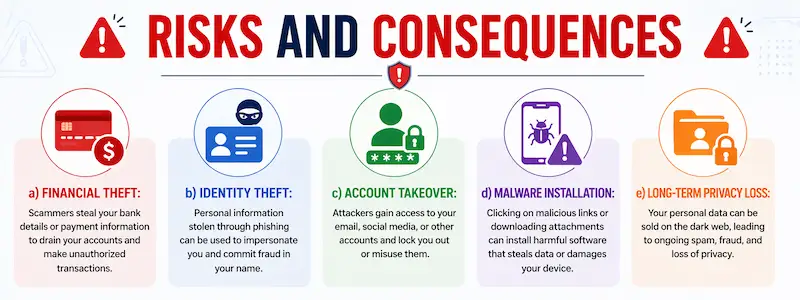
a) Financial Theft: Attackers can use stolen credit card information to move money, make illegal purchases, or immediately empty bank accounts.
b) Identity Theft: Criminals can open false credit lines in your name if they have access to your full name, social security number, or PIN.
c) Account Takeover: Attackers can launch additional attacks on your connections by gaining complete control over your email, social media, or cloud accounts through the harvesting of login credentials.
d) Malware Installation: When you click on dangerous links, ransomware or malware may start to download silently, compromising the security of your device and encrypting your personal information.
e) Long-term Privacy Loss: Your private information is frequently sold on the dark web once it is taken, which increases the likelihood of future theft and unwelcome targeting for years to come.
How to Prevent Text Phishing Scams?
In the following ways, you can prevent text phishing scams:
- Enable Advanced SMS Filtering: To automatically detect and quarantine questionable incoming messages, turn on your smartphone's built-in spam protection functions.
- Verify Through Official Channels: Never click on unsolicited text links; instead, get in touch with the alleged sender directly via their official website or a reliable phone number.
- Exercise URL Caution: Before clicking, hover over or long-press links to verify that the destination domain corresponds to the official website of a reputable business.
- Implement Multi-Factor Authentication (MFA): Use physical or app-based security keys for your accounts to keep hackers from getting complete access, even if they manage to smish your password.
- Keep Software Updated: Install the most recent operating system and security patches on a regular basis since they frequently include important fixes that stop exploits from executing on your device.
Best Practices for Staying Safe from SMS-Based Attacks
|
S.No. |
Factors |
What? |
|
1. |
Never Share Personal Codes |
Never forward or enter MFA codes or SMS-based one-time passwords (OTPs) on websites that did not generate them. |
|
2. |
Practice Digital Skepticism |
Regardless of how legitimate the sender ID seems, unsolicited messages, including urgent requests for money or personal information, should always be regarded as possible fraud. |
|
3. |
Avoid Storing Payment Info |
Reduce the amount of banking or credit card information that is stored in your mobile browser. This will lessen the impact of a phishing site successfully obtaining your information. |
|
4. |
Use Dedicated Security Tools |
Use trustworthy mobile security apps that provide threat detection and real-time link scanning to warn you before you visit a known harmful website. |
|
5. |
Maintain Privacy Hygiene |
To lessen the chance of being targeted by "spear-smishing" efforts, share as little personal information as possible on social media or public profiles, such as your phone number. |
Frequently Asked Questions
About Text Phishing Scams
- What is phishing, and its prevention?
Phishing is a dishonest social engineering assault that poses as a reliable source to steal confidential data. It can be avoided by being extremely cautious when clicking on unwanted links, confirming sender identities, and turning on multi-factor authentication.
- What are some examples of phishing scams?
The following are some examples of phishing scams:
a) Email Phishing,
b) Spear Phishing,
c) Business Email Compromise (BEC),
d) Clone Phishing, and
e) Whaling.
- What is an example of text-based phishing?
A false SMS that claims your bank account is locked because of suspicious behavior and asks you to click on a link to a phony login page in order to "verify" your identity is an example of text-based phishing.
- What is the meaning of phishing text?
A phishing text, sometimes referred to as smishing, is a fraudulent message sent to a mobile device that poses as a reliable source in order to trick the recipient into clicking on a harmful link or disclosing private information.
- How to prevent phishing examples?
In the following ways, prevent phishing examples:
a) Verify Unsolicited Requests,
b) Enable Multi-Factor Authentication (MFA),
c) Inspect Communication Context,
d) Use Advanced Security Tools, and
e) Keep Software Updated.
- What are the four types of phishing?
The following are the four types of phishing attacks:
a) Email Phishing,
b) Spear Phishing,
c) Smishing (SMS Phishing), and
d) Vishing (Voice Phishing).
- What is a famous example of phishing?
The 2016 phishing attack on John Podesta, the chairman of Hillary Clinton's presidential campaign, is a prominent example. Podesta was duped into disclosing his Gmail password by a phony "security alert" email, which resulted in the unapproved release of private campaign correspondence.
- What are the 4 P's of phishing?
The following are the 4 Ps of phishing:
a) Pretend,
b) Problem,
c) Pressure, and
d) Pay.
- What are three common methods of phishing attacks?
The following are the 3 common methods of phishing attacks:
a) Email Phishing,
b) Smishing (SMS Phishing), and
e) Vishing (Voice Phishing).
Conclusion
Now that we have talked about what Text Phishing Scams are, you might want to get a reliable solution for preventing Phishing Attacks. For that, you can go for Phish Next, a dedicated phishing simulation platform offered by Craw Security.
Moreover, this platform will offer various phishing attack simulations to the practitioners, so they will be able to test their skills to evade such attacks. What are you waiting for? Contact, Now!