Social Media Phishing: 15 Red Flags You Should Never Ignore
Do you know what Social Media Phishing is and how it can impact your online experience? If not, then you are at the right place. Here, we will talk about Social Media Phishing in detail while offering solutions to prevent it.
Moreover, we will introduce you to a reliable phishing simulation platform offered by a reputable VAPT service provider. What are we waiting for? Let’s get straight to the topic!
What is Social Media Phishing?
Social media phishing is a type of cyberattack in which malevolent actors pose as trustworthy brands, friends, or profiles on social media sites in order to deceive users into disclosing private information or clicking on dangerous links.
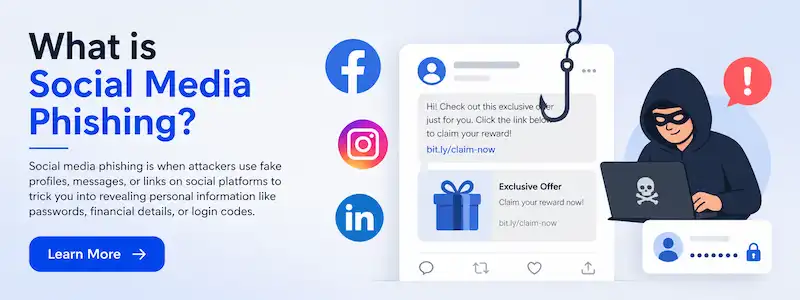
These attacks use social networking's natural trust and laid-back vibe to spread malicious attachments, phony login pages, or misleading messages. Attackers circumvent conventional security filters to directly breach personal and professional accounts through communication channels like direct messages and comments by taking advantage of social engineering techniques and human psychology.
Let’s talk about what Social Media Phishing is, its impacts, and how you can protect yourself against such traps!
Why Social Media Phishing is Increasing?
For the following reasons, social media phishing is increasing:
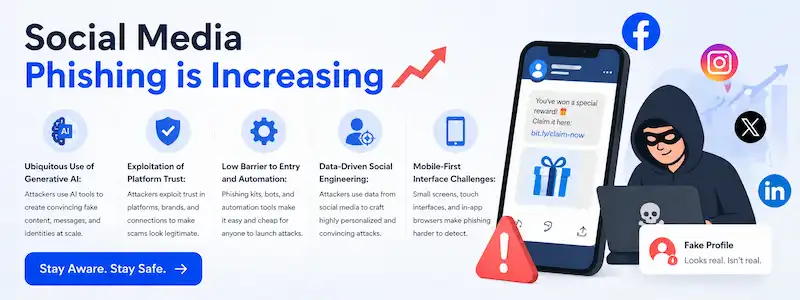
- Ubiquitous Use of Generative AI: Attackers can produce hyper-realistic, flawless phishing content on a never-before-seen scale thanks to AI techniques.
- Exploitation of Platform Trust: In order to persuade people within their own trusted social circles, attackers can simply take over or spoof well-known identities.
- Low Barrier to Entry and Automation: Even inexperienced attackers may start large-scale, successful campaigns thanks to pre-made phishing kits and automated bot networks.
- Data-Driven Social Engineering: Highly tailored, convincing scams that are hard to tell apart from real interactions are made possible by publicly accessible profile data.
- Mobile-First Interface Challenges: Users find it more difficult to verify the legitimacy of URLs or spot minor signs of phishing due to small screens and simpler app interfaces.
How Hackers Target Users on Social Platforms?
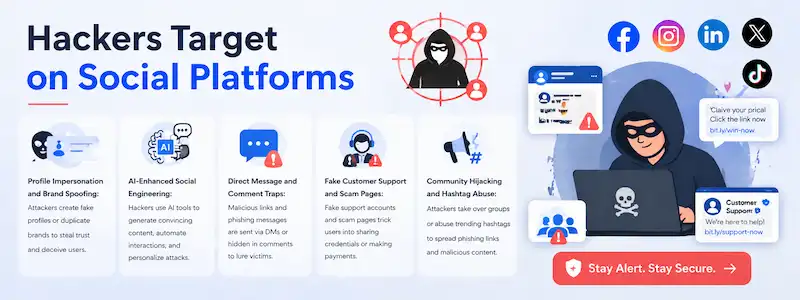
In the following ways, hackers target users on social platforms:
● Profile Impersonation and Brand Spoofing: To deceive users into divulging passwords, attackers create almost identical accounts of reputable people or businesses.
● AI-Enhanced Social Engineering: In order to create a false rapport, generative AI creates incredibly convincing, customized communications that mimic the target's own language and tone.
● Direct Message and Comment Traps: In order to elicit hasty clicks, scammers include dangerous links or urgent, fear-based instructions in direct messages and public discussions.
● Fake Customer Support and Scam Pages: To obtain sensitive login information, attackers create phony help-desk accounts or landing pages that imitate authentic brand support websites.
● Community Hijacking and Hashtag Abuse: Hackers spread dangerous content to a sizable, captive, and vulnerable audience by breaking into specialized groups or using popular hashtags.
Advanced Tactics: Beyond Simple Links
|
S.No. |
Factors |
What? |
|
1. |
"ClickFix" Social Engineering |
Attackers deceive users into copying and executing malicious scripts straight into their browser console by using phony "error" notifications or browser update requests. |
|
2. |
"ClickFix" Social Engineering |
In order to get over conventional text-based security filters and take advantage of users' innate trust in scanning codes, scammers include dangerous URLs inside QR codes. |
|
3. |
Deepfake Impersonation |
Advanced AI produces incredibly lifelike audio or video of a reliable person, persuading targets to get over security measures or complete critical financial transactions. |
|
4. |
OAuth Consent Abuse |
Attackers deceive users into giving dangerous third-party apps access to their accounts, giving them ongoing, password-free access to private information. |
|
5. |
Browser-in-the-Browser (BitB) Attacks |
Even on HTTPS-protected websites, the attacker successfully deceives visitors by creating a flawlessly drawn, phony pop-up window inside a browser tab that appears to be a genuine login page. |
Top 15 Red Flags You Should Never Ignore in 2026
The following are the Top 15 Red Flags you should never ignore in 2026:
a) Manufactured Urgency: Messages like "account suspension" or "final notice," which call for quick action, circumvent your ability to make logical decisions.
b) Unsolicited Requests for Sensitive Data: Any email or direct message requesting financial information, passwords, or MFA codes, even if it purports to be from "official support."
c) Unexpected QR Codes: Codes that show up in texts, emails, or fliers and ask you to scan them for "security verification" or "exclusive access."
d) Mismatched or Obfuscated URLs: Links that, when hovered over or examined, take users to a separate, dubious domain despite displaying a valid brand name.
e) Requests to Move Platforms: A contact who is adamant about switching a communication from a public or professional platform to one that is less regulated or encrypted.
f) AI-Generated Voice or Video Anomalies: Audio/video calls with strange glitches, strange pace, or "robotic" pauses, particularly when someone is requesting money or private information.
g) "Too Good to Be True" Offers: Discounts, freebies, or investment possibilities that guarantee substantial returns with little risk or effort.
h) Inconsistent Sender Identity: The account handle or email address is slightly misspelled or inconsistent with the display name, which seems to be a reliable contact or brand.
i) Bypassing Established Protocols: Requests from "colleagues" or "executives" to get around common security processes, such as payroll verification or wire transfer permissions.
j) Unusual Tone or Context: Communications that lack the expected professional finesse, seem a little out of character, or make references to initiatives unrelated to your current work.
k) Persistent MFA Fatigue: Getting unwanted push messages for login approval on a regular basis, which are intended to fool you into clicking "Approve" to end the aggravation.
l) Unexpected OAuth Consent Prompts: Pop-ups requesting that you provide a third-party app access to your contacts, calendar, or profile without a valid justification.
m) Suspicious "Error" or "Update" Alerts: Pop-ups that ask you to copy and execute a "fix" script in your browser while posing as authentic system alerts.
n) Lack of Account History: When a profile that purports to be an influencer or business has few followers, little interaction, or was just made a few days ago.
o) Over-Personalization: Overuse of public information in messages, such as your job title, previous posts, or family names, can quickly create a false sense of rapport and confidence.
How to Protect Yourself from Social Media Phishing?
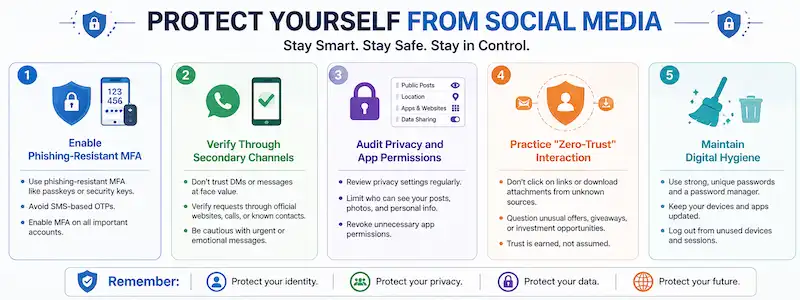
In the following ways, you can protect yourself from social media phishing:
- Enable Phishing-Resistant MFA: To protect your accounts from common credential theft, use FIDO2-compliant security keys or passkeys rather than SMS-based codes.
- Verify Through Secondary Channels: Always use a different, independently verified communication mechanism to confirm sensitive or urgent requests from "trusted" individuals.
- Audit Privacy and App Permissions: To stop persistent OAuth consent abuse, regularly check and remove access for third-party apps linked to your social media accounts.
- Practice "Zero-Trust" Interaction: Regardless of how convincing the sender seems, treat any unusual link, attachment, or action request as potentially harmful.
- Maintain Digital Hygiene: To lower your target profile, keep your software up to date, use different passwords for each website, and restrict the amount of private information that is accessible to the public.
What to Do If You Fall Victim to Phishing?
|
S.No. |
Factors |
Why? |
|
1. |
Isolate and Disconnect |
To stop the attacker from stealing data or moving laterally within your network, disconnect your compromised device from the internet right away. |
|
2. |
Secure Compromised Accounts |
To update the passwords for the impacted account and all other platforms that use the same credentials, log in from a different, clean device. |
|
3. |
Revoke Unauthorized Access |
To see and end all ongoing sessions and remove any dubious third-party apps that have been given OAuth rights, navigate to your security settings. |
|
4. |
Run a Full Security Scan |
To find and eliminate any persistent malware, keyloggers, or scripts left by the attacker, conduct a thorough system scan using reliable endpoint security software. |
|
5. |
Report and Notify |
To assist in stopping future abuse and shield your contacts from similar scams, notify your IT department, the platform provider, and possibly your financial institutions. |
Conclusion
Now that we have talked about Social Media Phishing, you might be wondering how you can protect yourself against such attacks on social media platforms. For that, you can go for Phish Next, a dedicated phishing simulation platform offered by Craw Security.
Moreover, on this platform, you will be able to learn more about various kinds of phishing scams, and after the training, users will be able to evade such attacks in the future. What are you waiting for? Contact, Now!