KYC Update Phishing Scams: How They Work and How to Stay Safe?
Do you know what KYC Update Phishing Scams are, and how they affect a normal user’s life online? If not, then you are at the right place. Here, we will talk about what such a scam is and how you can protect yourself against it in detail.
Moreover, we will introduce you to a reliable phishing simulation solution offered by a reputable VAPT service provider. What are we waiting for? Let’s get started!
What Is a KYC Update Phishing Scam?
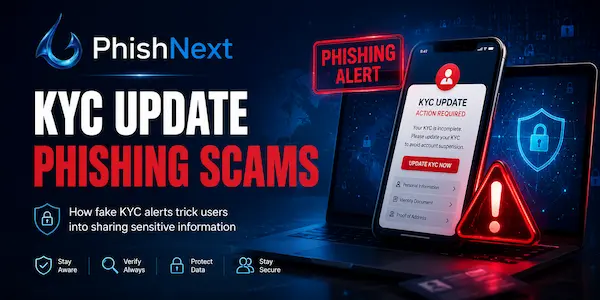
A KYC Update Phishing Scam is a fraudulent operation in which fraudsters pretend to be reputable banks or financial institutions and send urgent warnings requesting that the victim's "Know Your Customer" information be updated immediately.
These misleading messages include malicious links that take recipients to phony websites intended to steal private banking information, identity documents, and PINs. After obtaining the data, scammers utilize it to empty bank accounts, carry out illicit transactions, or carry out extensive identity theft.
Let’s take a look at what kind of scams KYC Update Phishing Scams are and how you can protect yourself against such attacks!
Popular Channels Used for KYC Phishing Scams
|
S.No. |
Channels |
What? |
|
1. |
SMS |
Smishing SMS with urgent links are sent by scammers that threaten to block your bank account or SIM card if you don't update your KYC right away. |
|
2. |
|
Attackers use phony company logos and domains to send you official-looking emails, pressuring you to click a link to confirm your identity. |
|
3. |
|
Scammers take advantage of the app's informal trust by using phony business profiles to drop malicious links and PDF guides straight into your chat. |
|
4. |
Calls |
To verbally obtain your OTPs, card information, or net banking passwords, vishing operators pose as bank personnel and call you. |
Common Types of KYC Update Phishing Attacks
The following are some common types of KYC update phishing attacks:
1. Fake Account Suspension Alerts: Scare tactics that threaten to immediately block your debit card or account if you don't click a link to update your KYC.
2. Malicious App Downloads (Malware Deployment): Tricking you into downloading a phony remote-access or banking program that collects your tracking information and credentials.
3. Spoofed Banking Portals (Clone Websites): Sending links to exact copies of authentic bank login pages that are just intended to collect your login information.
4. Document Harvesting Scams: Requesting that you upload digital copies of your ID, passport, or tax records to a rogue website to commit identity theft.
5. Fake Verification Calls (Vishing) with OTP Exploitation: Callers that pretend to be bank employees orally coerce you into disclosing your multi-factor authentication codes.
How KYC Update Phishing Scams Work Step by Step?
KYC update phishing scams work step by step in the following ways:
● Step 1: The Lure Deployment: Scammers send out urgent emails or SMS messages threatening to shut your bank account unless you update your KYC right away.
● Step 2: The Bait Click: You click the dangerous link that is immediately integrated in the bogus message because you are terrified of the high-pressure threat.
● Step 3: The Identity Clone: The URL takes you to a counterfeit landing page that looks exactly like the login site for your real bank.
● Step 4: Credential Harvesting: You fill out the fictitious form with your username, password, and personal information, which is sent directly to the hacker's server.
● Step 5: The Exploitation & Drain: After logging into your actual account and tricking you into sharing an OTP, the fraudster immediately depletes your money.
Real-World Examples of KYC Update Phishing Scams
|
S.No. |
Examples |
What? |
|
1. |
The Fake Digital Wallet Block |
Scammers utilize a phony link to acquire logins by texting victims and claiming that their PayPal or Paytm wallet is frozen. |
|
2. |
The Spoofed Major Retail Bank Portal |
Attackers steal net-banking credentials on clone websites by sending out bulk SMS notifications that imitate banks like SBI or HDFC. |
|
3. |
The Telecommunication "SIM Deactivation" Fraud |
Scammers pose as network providers and threaten to disconnect SIM cards if they don't download a phony KYC app. |
Red Flags That Help You Identify a Fake KYC Request
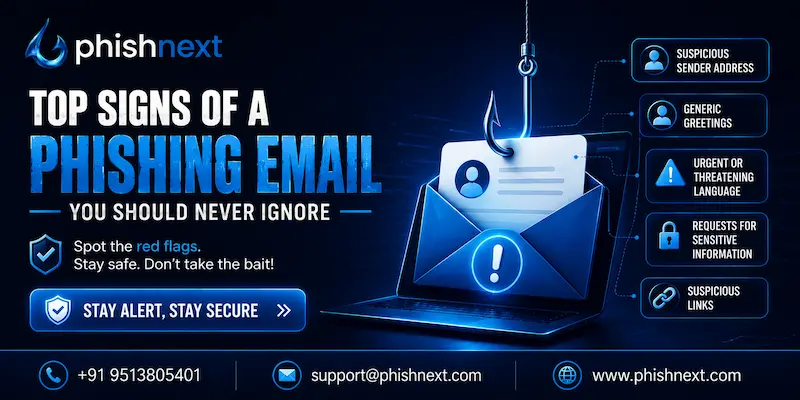
The following are some red flags that help you identify a fake KYC request:
a) Urgent and Threatening Language: High-pressure panic messages threaten to suspend your account right away if you don't respond right now.
b) Suspicious Sender Details and URLs: Messages that lead to clumsy domain names that don't match the official website of your bank or come from weird 10-digit mobile numbers.
c) Requests for Highly Sensitive Secrets: Requests for card PINs, CVV numbers, dynamic OTPs, or private passwords that a reputable bank would never request.
d) Generic Greetings and Poor Grammar: Notifications that use ambiguous titles, such as "Dear Customer," in place of your real name, frequently contain obvious mistakes.
e) Unusual Communication Channels: Requests for KYC updates that sound official are coming through unofficial messaging apps like Telegram or WhatsApp instead of protected banking portals.
Risks and Consequences of Falling for a KYC Scam
The following are some risks and consequences of falling for a KYC scam:
1. Immediate Financial Loss: Fraudsters use unapproved wire transfers and transactions to quickly deplete your savings, bank, and digital wallet balances.
2. Full-Scale Identity Theft: Attackers construct fictitious bank accounts, seek unlawful loans, and commit crimes in your name using your stolen ID documents.
3. Account Takeover and Lockout: Scammers shut you out of your own bank profiles by changing your contact information, recovery emails, and passwords.
4. Severe Credit Score Damage: Identity thieves' bogus, unpaid loans damage your credit score and prevent you from ever being able to purchase a car or house.
5. Legal and Regulatory Complications: If syndicates utilize your stolen identity for money laundering, you might have to deal with drawn-out court cases or unfair police investigations.
How to Verify Whether a KYC Update Request Is Genuine?
|
S.No. |
Factors |
How? |
|
1. |
Check the Sender's Domain and URL |
Ignore spelling mistakes or haphazard links in favor of HTTPS and precise official domain names. |
|
2. |
Contact Your Bank Directly |
Rather than utilizing the contact information in the message, call the number that is printed on the back of your debit card. |
|
3. |
Look for Personalized Account Information |
Instead of using generic "Dear User" greetings, real notices use your real name or masked account numbers. |
|
4. |
Review Your Official Mobile App or Net Banking Portal |
Check your secure mailbox for any legitimate alerts by logging into your trusted app. |
|
5. |
Confirm the Bank's Standard Policies |
Keep in mind that legitimate organizations never request passwords, PINs, or OTPs via phone calls or texts. |
What to Do If You Have Clicked on a Fake KYC Link?
You can do the following tasks if you have clicked on a fake KYC link:
● Disconnect from the Internet Immediately: Cut off your mobile or Wi-Fi data right away to stop virus downloads and data exfiltration.
● Change Your Banking Credentials From a Safe Device: Replace compromised PINs and passwords on your bank accounts using a clean, different device.
● Freeze Your Bank Accounts and Credit Cards: To immediately block all cards and digital transactions, give your bank a call or use the official app.
● Scan for Malware and Spyware: To identify and eliminate any injected tracking bugs, conduct a comprehensive, deep scan using reliable security software.
● Report the Scam to Authorities: Submit the scam data straight to your bank and file an official complaint on your local cybercrime portal.
Where to Report KYC Scams?
You can report KYC scams in the following places:
a) Your Bank’s Immediate Fraud Hotline: To immediately freeze compromised accounts, call the number on the back of your card.
b) Cybercrime Helpline & Portal (India): To stop illegal money transfers, dial 1930 right away or file a formal case at cybercrime.gov.in.
c) Sanchar Saathi Portal: Use the government's central platform at sancharsaathi.gov.in to report fraudulent WhatsApp accounts and false SMS headers.
d) Your Mobile Service Provider: To have the scammer's connections blocked, let your telecom provider know the scammer's number.
e) Global Phishing Watchdogs (International): Send phony URLs to Google Safe Browsing for removal, or forward misleading emails to [email protected].
How Businesses Can Protect Customers from KYC Phishing?
|
S.No. |
Factors |
How? |
|
1. |
Implement Domain-Based Email Authentication |
Enforce stringent DMARC, DKIM, and SPF regulations to prevent corporate spoof emails from ever reaching customers' inboxes. |
|
2. |
Deploy In-App Secure Messaging Channels |
Tell customers to disregard outside SMS and move all official KYC alerts only into your verified mobile app. |
|
3. |
Integrate Real-Time SMS Header Verification |
To stop con artists from hiding their texts under your name, collaborate with telecom registries to lock down your brand headers. |
|
4. |
Execute Proactive Website Takedown Operations |
Collaborate with threat intelligence companies to quickly identify, report, and take down phony clone websites before users visit them. |
|
5. |
Launch Continuous Security Awareness Campaigns |
Remind users that you will never request PINs or OTPs by sending frequent, powerful messages via banners and push notifications. |
The Role of AI and Threat Intelligence in Detecting Phishing Campaigns
The following are the roles of AI and threat intelligence in detecting phishing campaigns:
1. Natural Language Processing (NLP) Analysis: AI continuously examines message text to identify concealed phishing signs, frantic tones, and high-pressure language.
2. Proactive Lookalike Domain Detection: Threat intelligence keeps an eye on online registries to identify and prevent newly developed websites that imitate reputable brand names.
3. Computer Vision for Brand Identification: AI detects pixel-perfect brand logos used illegally on phony login portals by comparing visual components of webpages.
4. Behavioral and Telemetry Baseline Tracking: In order to prevent anomalies, such as abrupt spikes in bulk SMS or emails, machine learning monitors typical communication patterns.
5. Automated Threat Takedowns: In order to automatically ban fraudulent IPs and shut down phishing servers worldwide, connected systems quickly share verified threat data.
Final Thoughts: Stay Alert and Keep Your Financial Information Secure
Now that we have talked about what KYC Update Phishing Scams are, you might want to protect yourself against such attempts. For that, you can go for PhishNext, a dedicated phishing attack simulator offered by Craw Security.
PhishNext can help you to understand the ways various types of phishing attacks work and the ways to evade such attempts on yourself. Thus, you will be able to feel secure posting your data online. What are you waiting for? Contact, Now!
Frequently Asked Questions
About KYC Update Phishing Scams
1. What is a KYC update phishing scam?
A KYC update phishing scam is a type of online fraud in which thieves use phony, urgent alerts to fool you into clicking on harmful links that steal your personal identifying documents and banking credentials.
2. How do KYC update phishing scams work?
KYC update phishing scams work in the following ways:
a) The Urgent Lure,
b) The Bait Click,
c) The Clone Landing Page,
d) Credential Harvesting, and
e) The Financial Drain.
3. What are the common signs of a fake KYC update message?
The following are some common signs of a fake KYC update message:
a) Urgent and Threatening Language,
b) Suspicious Sender IDs and Links,
c) Demands for Confidential Secrets,
d) Generic Greetings and Poor Grammar, and
e) Informal Communication Channels.
4. Which communication channels are most commonly used for KYC phishing attacks?
The following are some communication channels that are commonly used for KYC phishing attacks:
a) SMS,
b) Email,
c) WhatsApp, and
d) Calls.
5. How can I verify whether a KYC update request is genuine?
You can verify whether a KYC update request is genuine in the following ways:
a) Verify the Sender's Domain and URL,
b) Cross-Check with the Official Customer Care,
c) Look for Personalization,
d) Check Your Secure Mobile App or Online Portal, and
e) Remember the "No-Secret" Rule.
6. What information do cybercriminals try to steal through KYC phishing scams?
Cybercriminals try to steal the following Information through KYC phishing scams:
a) Net Banking Credentials,
b) Payment Card Details,
c) One-Time Passwords (OTPs),
d) Government-Issued Identity Documents, and
e) Personal Identifiable Information (PII).
7. What should I do if I accidentally click on a fake KYC update link?
You should do the following tasks if you accidentally click on a fake KYC update link:
a) Disconnect from the Internet immediately,
b) Freeze Your Bank Accounts and Cards,
c) Change Your Login Credentials,
d) Scan for Malware and Spyware, and
e) Report the Incident to Authorities.
8. Can banks or financial institutions ask for KYC updates through WhatsApp or SMS links?
No, reputable banks and financial organizations will never request that you click on links received through WhatsApp or SMS in order to update your KYC.
9. How can businesses protect their customers from KYC update phishing scams?
Businesses can protect their customers from KYC update phishing scams in the following ways:
a) Implement Domain-Based Email Authentication,
b) Migrate to In-App Communication Channels,
c) Lock Down SMS Headers and Use RCS,
d) Deploy Proactive Lookalike Domain Takedowns, and
e) Conduct High-Visibility Customer Education.
10. What are the best practices to stay safe from KYC update phishing attacks?
The following are the best practices to stay safe from KYC update phishing attacks:
a) Never Click on Links for KYC Updates,
b) Verify Through Independent Channels,
c) Protect Your Sensitive Credentials,
d) Keep Security Software and Devices Updated, and
e) Enable Two-Factor Authentication (2FA).